


AI Adaptive Lighting, Shades & Climate for Control4 is a third-party Control4 driver designed to help dealers sell and deliver a more intelligent residential automation experience without building every behavior manually in Composer.
Many smart home projects are still delivered mainly around keypads, touchscreens, app control, schedules, and basic motion lighting. Advanced room-by-room automation is possible in Control4, but it usually requires significant custom programming, careful testing, and experienced commissioning. This driver gives dealers a repeatable way to offer a higher-level Control4 experience as part of the project proposal.
LivingMind Home provides an adaptive automation layer for the residential features homeowners care about most: automatic lighting control, personalized lighting behavior, more natural occupancy-based behavior, shade sun protection and privacy, supported comfort automation, sleep/wake and away scene integration, whole-room lights-and-media scene behavior, and manual override protection.
For Control4 dealers, the value is clear: a stronger premium automation package, an easier homeowner presentation, less repetitive Composer programming, more consistent project delivery, and better protection of project margin. It helps dealers differentiate their projects from basic keypad-and-app control systems and present Control4 as a truly intelligent home experience.
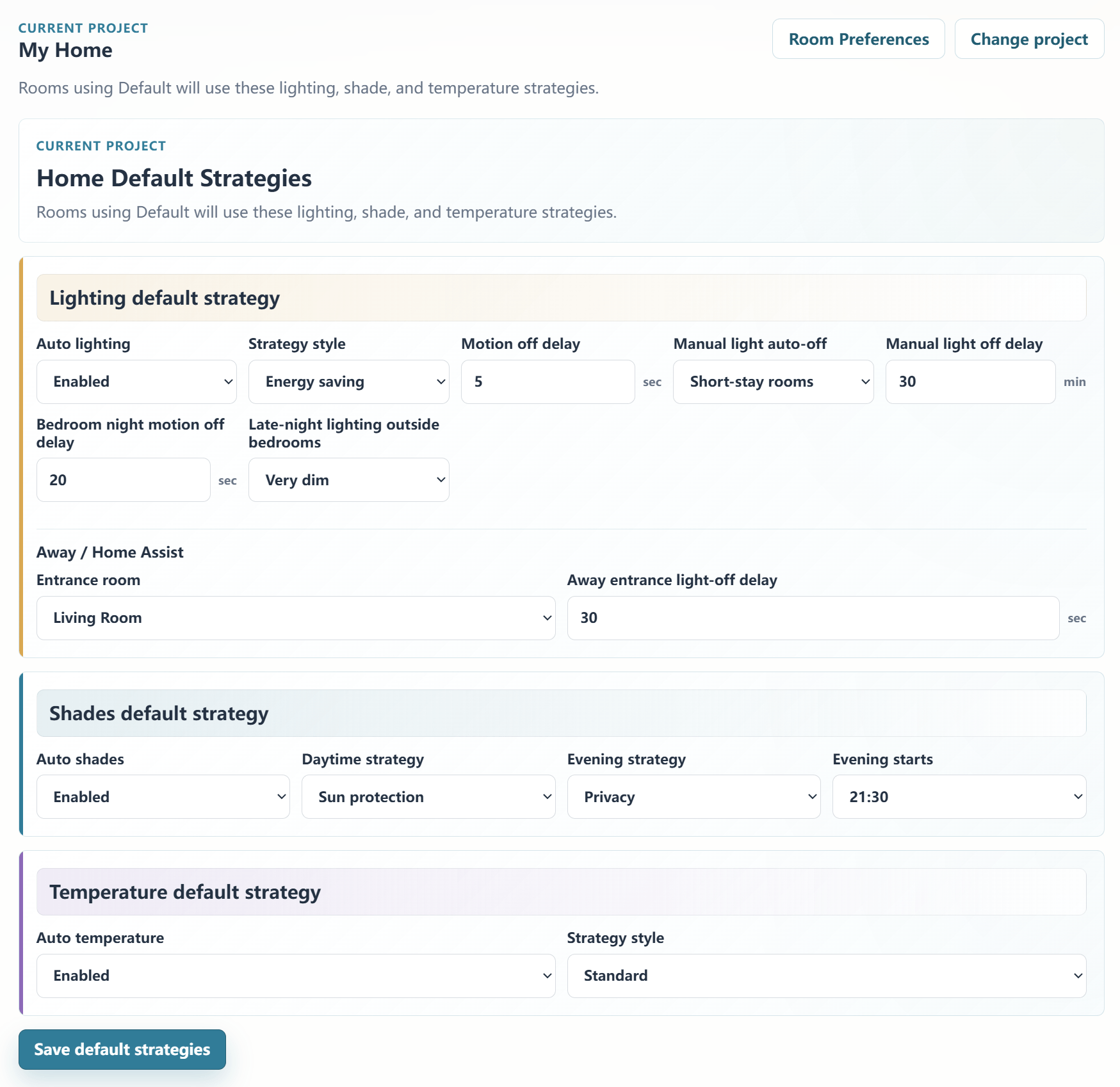
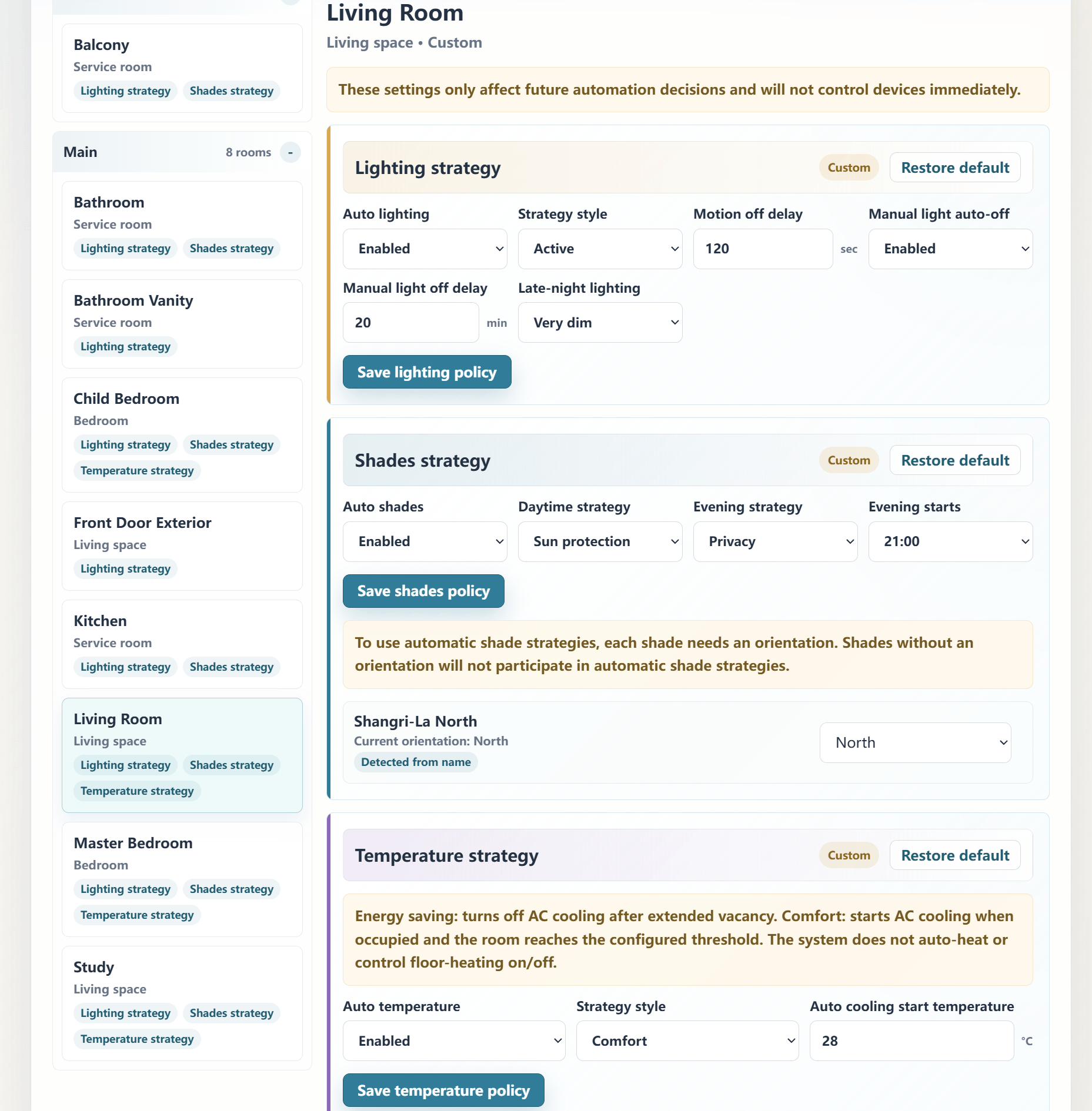
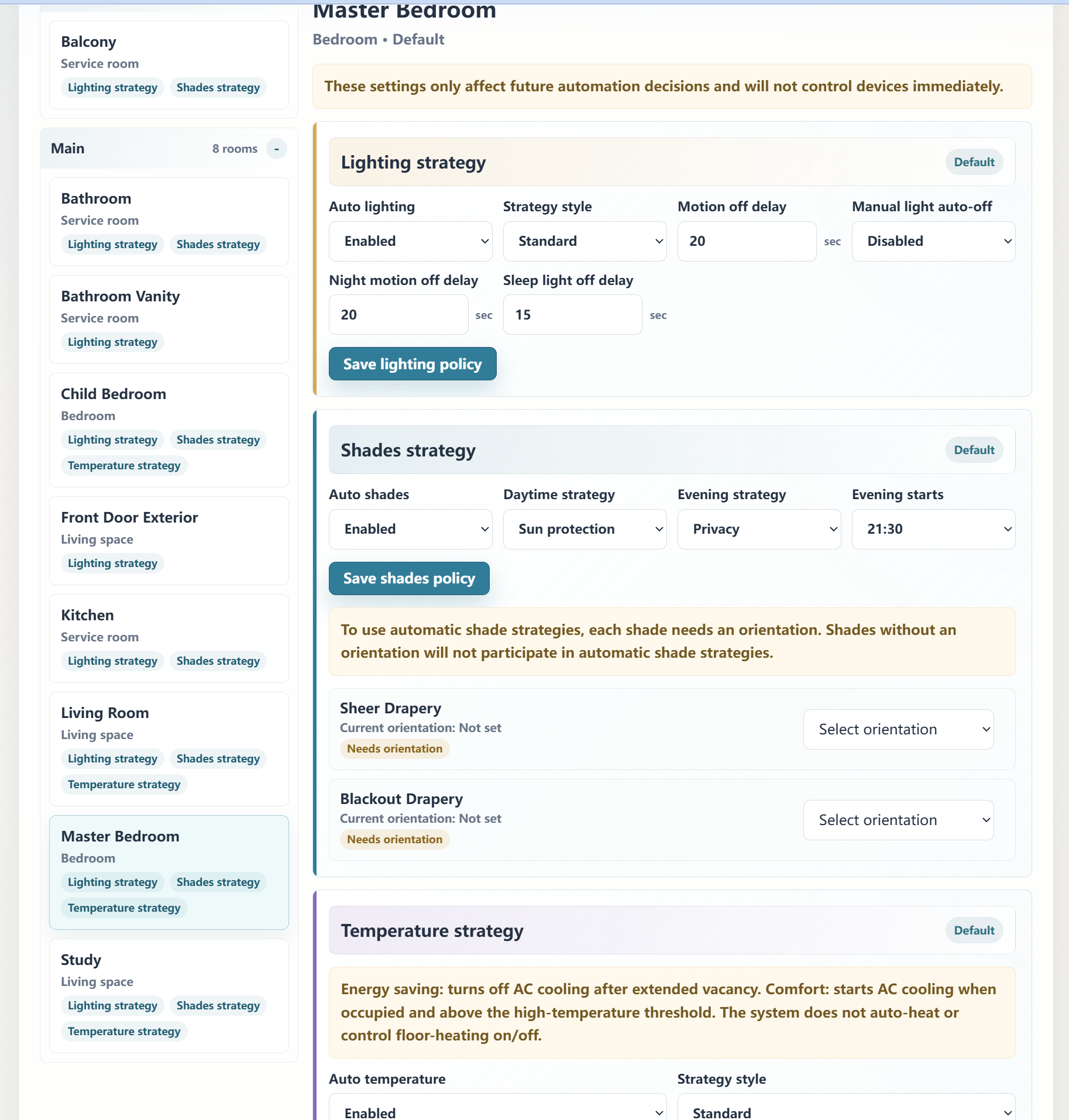
The Homeowner Web Portal allows whole-home defaults and room-by-room strategies to be adjusted from a web page after the project is bound. Lighting behavior, night lighting, shade privacy and sun protection, and comfort strategy can be tuned per room within the system’s supported policy options. This gives homeowners confidence that the system can adapt to real living habits after installation, while giving dealers a stronger long-term tuning, upgrade, and professional service story.
The driver is intended for residential convenience, comfort, lighting, shade, and energy-saving automation only. It is not intended for security, life safety, emergency response, fire, smoke, carbon monoxide, water leak, gas leak, medical, elder care, door lock, garage door, automatic heating, or safety-critical HVAC control.
This is a third-party Control4 driver and is not an official Control4 product.
No posts found
Overview
AI Adaptive Lighting, Shades & Climate for Control4 helps dealers deliver a more intelligent residential automation experience without building every behavior manually in Composer.
Many Control4 projects rely mainly on keypads, touchscreens, app control, schedules, and basic motion lighting. This driver gives dealers a repeatable way to offer a higher-level smart home experience with automatic lighting, shade sun protection, evening privacy, comfort automation, sleep/wake behavior, and manual override protection.
The goal is simple: help dealers present a stronger Control4 proposal, deliver a more premium homeowner experience, and reduce repetitive project-by-project programming while still keeping professional system design in the dealer’s hands.
Key Dealer Benefits
Helps create a more premium Control4 proposal
Makes the value of smart automation easier for homeowners to understand
Differentiates the project from basic keypad-and-app control systems
Helps dealers quickly deliver advanced room-by-room automation with less repetitive Composer logic
Protects project margin by reducing duplicated programming and commissioning effort
Gives homeowners confidence that the system can be tuned to real living habits
Supports future tuning, upgrade, and professional service opportunities
Homeowner Web Portal
The Homeowner Web Portal allows whole-home defaults and room-by-room strategies to be adjusted from a web page after the project is bound.
This allows lighting, shade, and comfort behavior to be tuned per room instead of relying only on one whole-home setting. Homeowners can safely adjust everyday preferences within the supported policy options, while dealers retain control of the core system design and commissioning.
Dealers can present a smarter, more flexible system during the sales process, and homeowners can see that the home can adapt to how they actually live after installation.
Core capabilities include:
- Adaptive room-by-room lighting based on occupancy, daylight/darkness, time of day, weather, sleep/wake state, and manual override protection
- Personalized lighting behavior that can be tuned through daily use and Web Portal room strategies
- More natural motion-based lighting than basic mechanical motion on/off programming
- Shade automation for daytime sun protection and evening privacy, with room and orientation-aware behavior where configured
- Room-by-room comfort strategy for supported cooling and energy-saving setback behavior
- Homeowner Web Portal support, allowing the smart home experience to be tuned around the homeowner’s real living habits instead of being locked into fixed programming
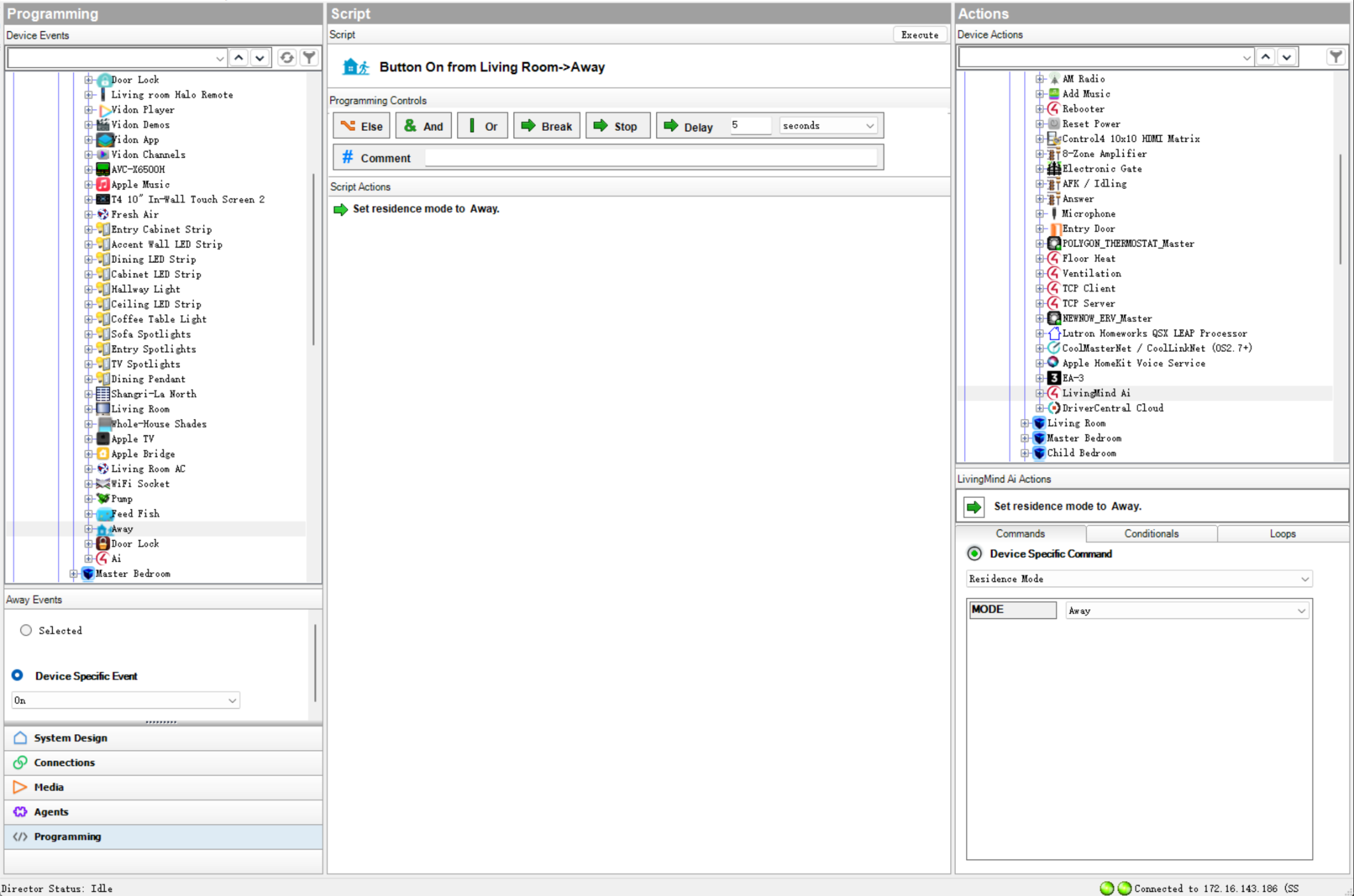
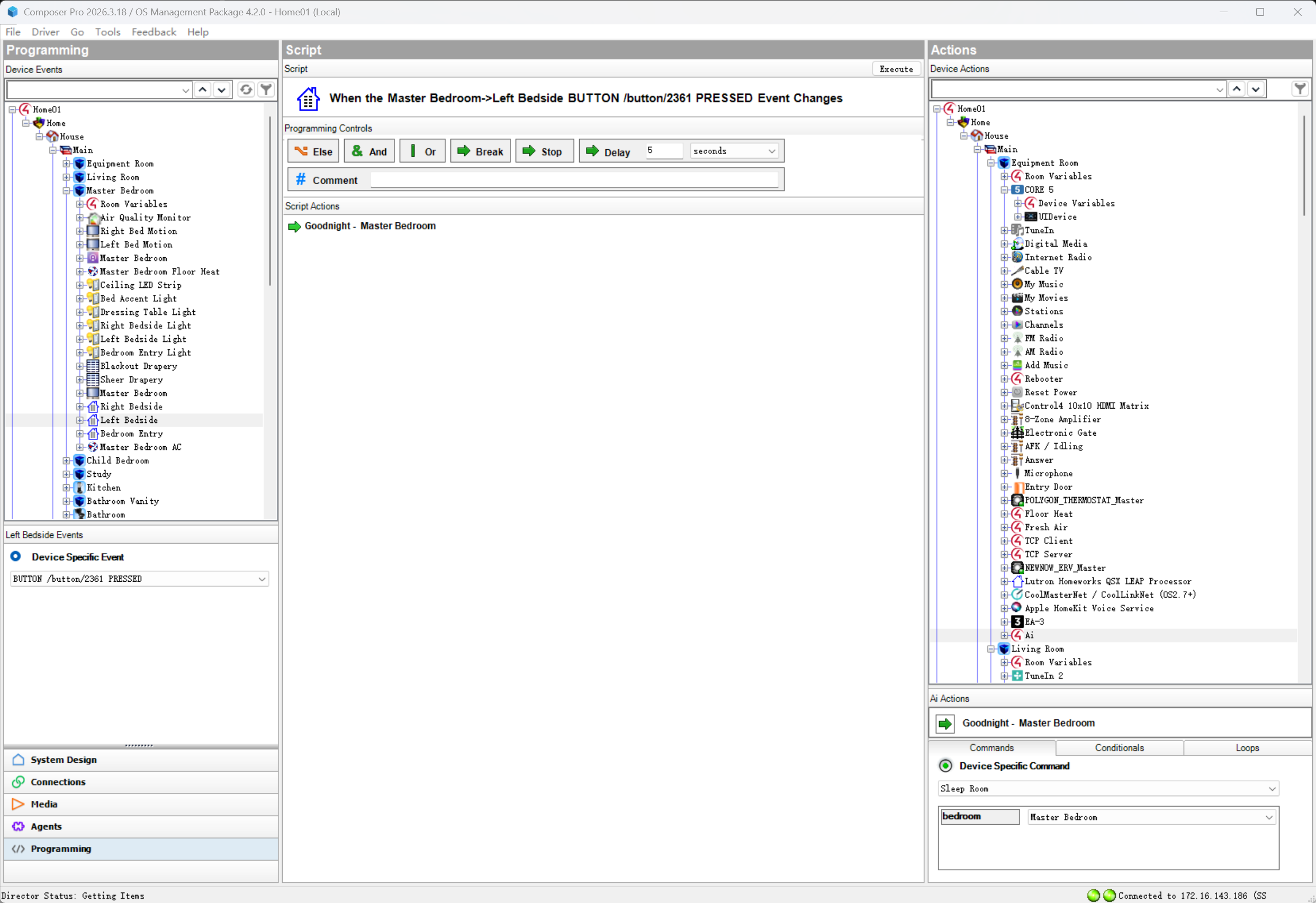
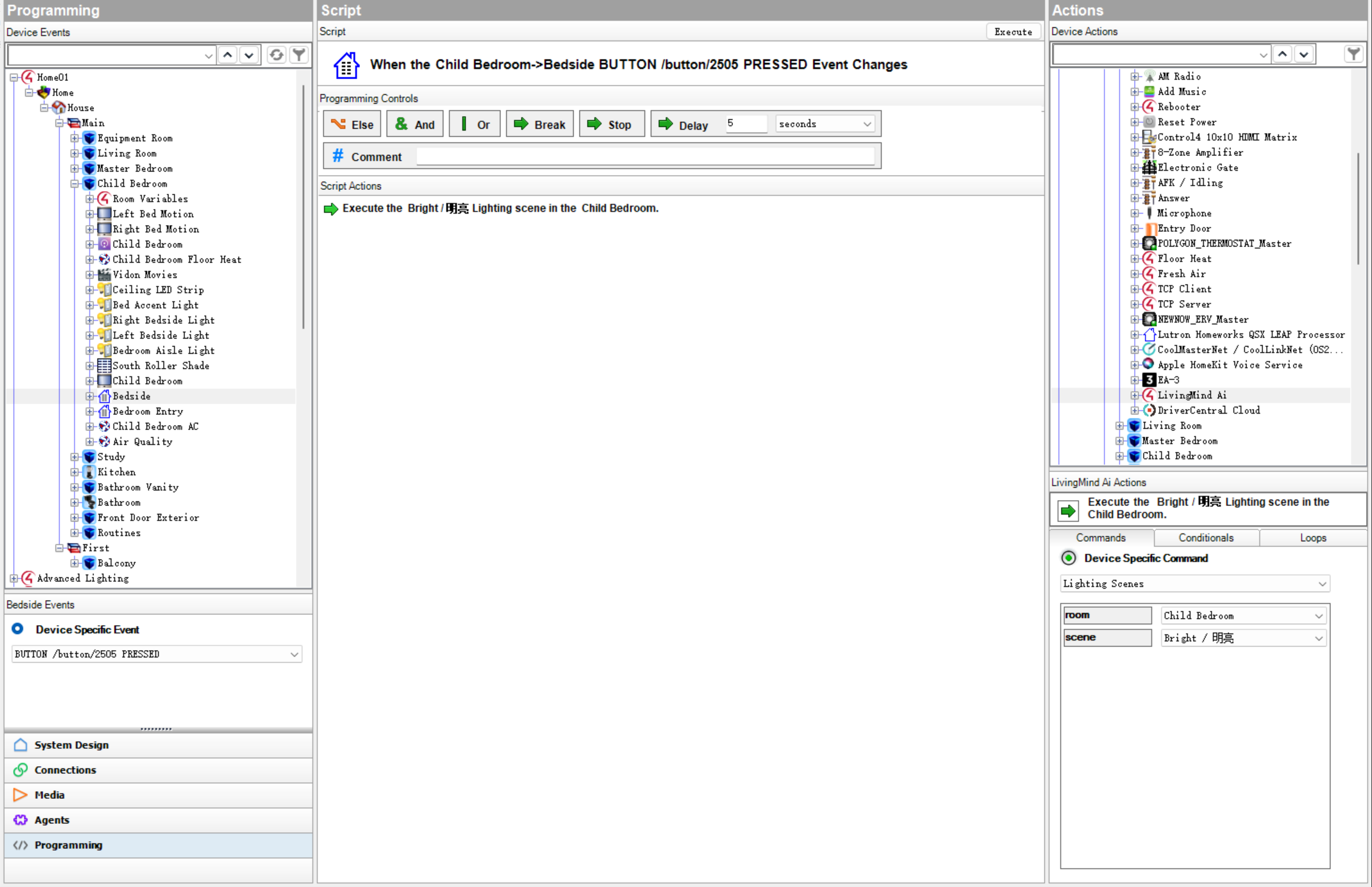
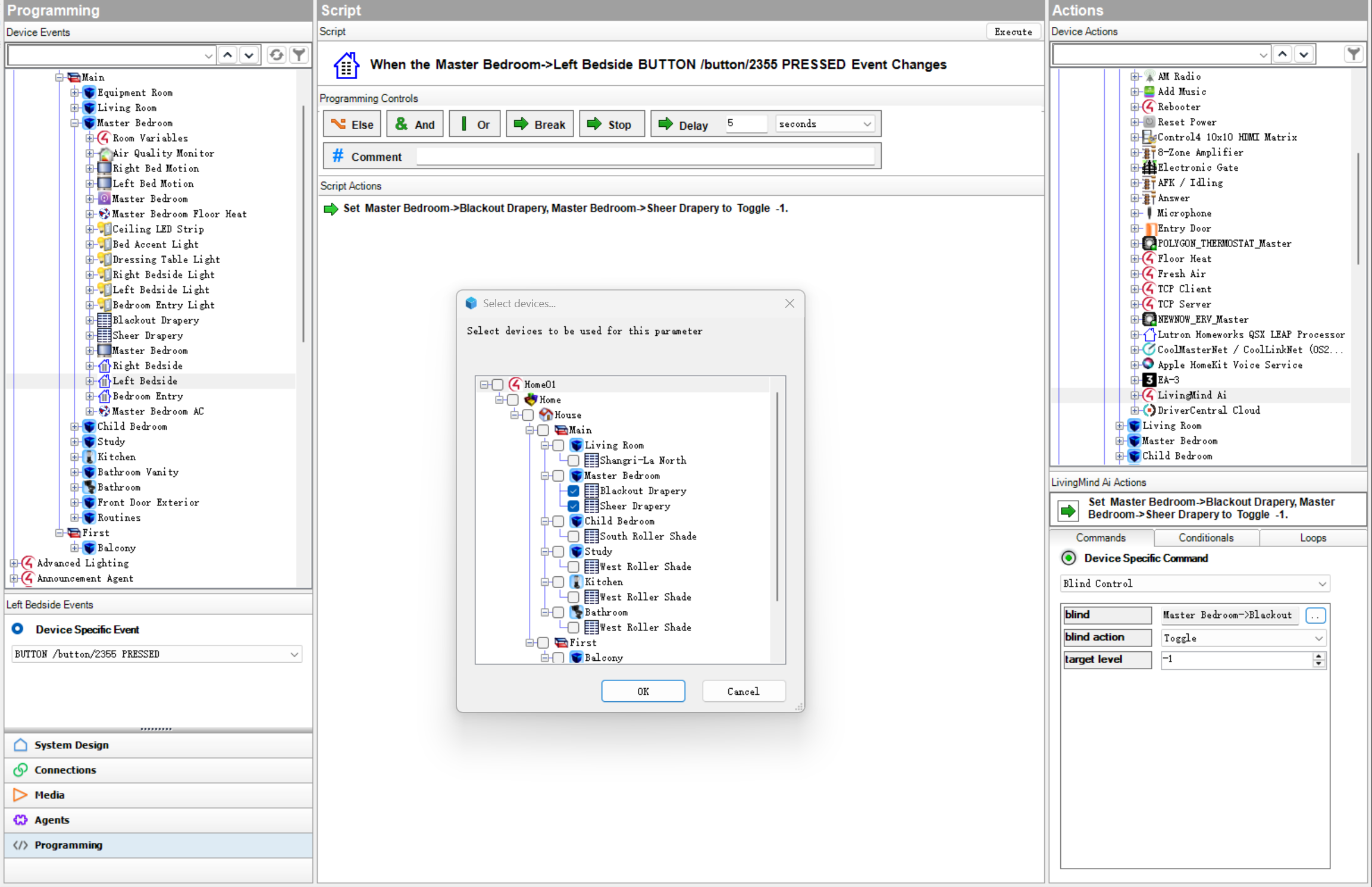
- Composer commands for Sleep Room, Wake Room, Lighting Scenes, Blind Control, and Residence Mode when explicit programming control is needed, including practical whole-room lights-off and media-off scene behavior
Basic Setup
- Install the driver in Composer Pro.
- Confirm DriverCentral license or trial status.
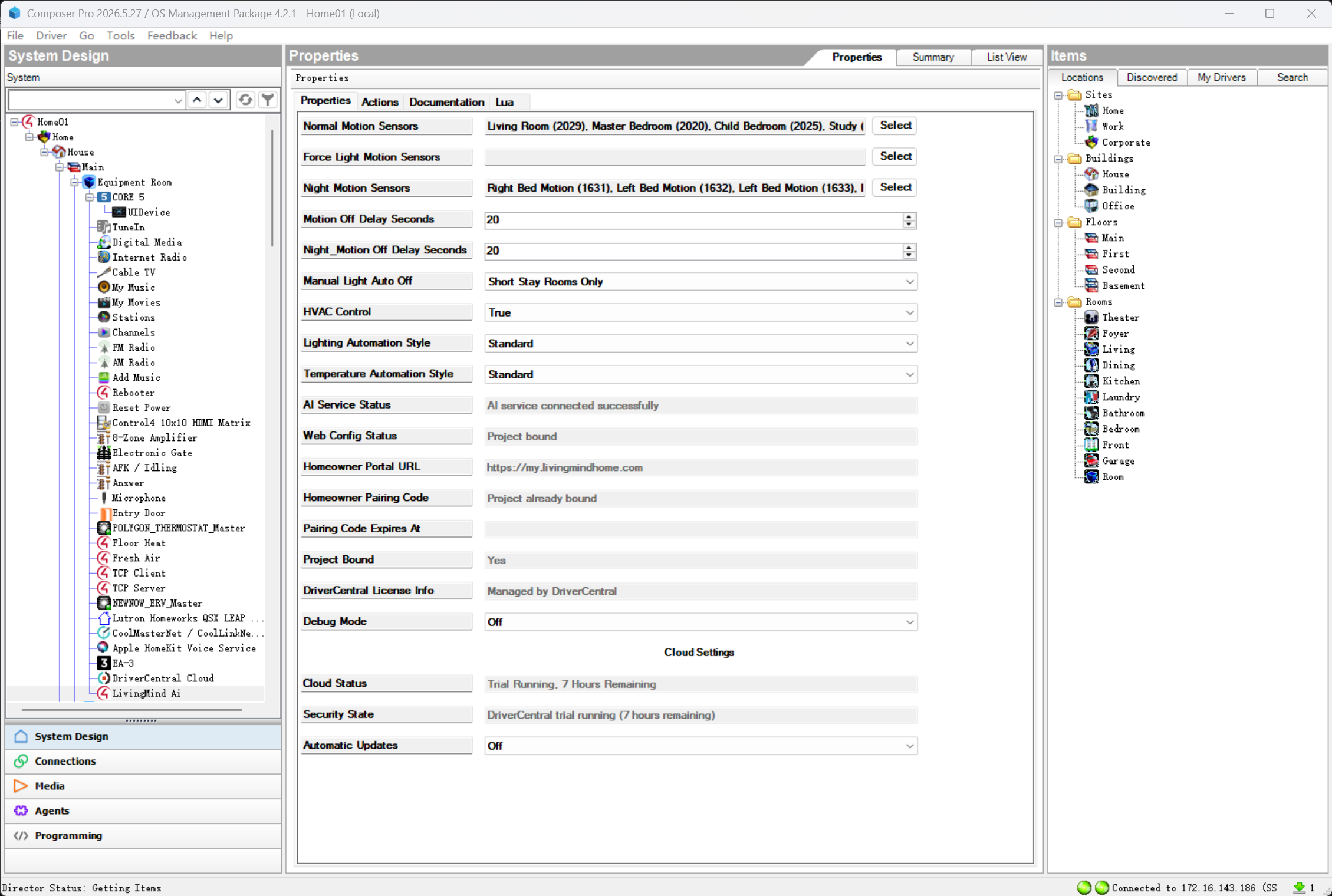
- Assign motion sensors in the driver properties.
- Review Lighting Automation Style and Temperature Automation Style.
- Bind the project to the Homeowner Web Portal if room-by-room strategy control is desired.
- Configure whole-home defaults and room strategies in the Web Portal.
- Confirm shade orientation in the Web Portal where shade automation is used.
- Test the main automation areas before final handover.
Naming Recommendations
For best automatic detection, use clear English or Chinese names for rooms, lights, and shades.
Examples:
- Rooms: Master Bedroom, Bathroom, Kitchen, Living Room, Theater, Office
- Shades: East Shade, West Sheer, Blackout Shade, Roller Shade
- Lights: Cove Light, Hallway Light, Dining Table Light, Pendant Light, Fan Light
Other languages may work for basic device control, but advanced automatic classification is best with supported English or Chinese naming.
Important Notes
This driver is designed for residential comfort, convenience, lighting, shade, and energy-saving automation. It is not intended for security, life-safety, emergency response, medical, door lock, garage door, automatic heating, or safety-critical HVAC control.
This is a third-party Control4 driver and is not an official Control4 product.
Version 104
- Fixed a bug related to manual lighting learning.
- Added an automatic revert function for temperature settings in the "Good Night" scene.
Version 103
Major Homeowner Web Portal and room strategy update.
- Added Homeowner Web Portal support.
- Added project binding and Web policy synchronization.
- Added whole-home defaults and room-by-room strategy configuration.
- Added room-by-room lighting, shade, and comfort strategies.
- Added Web-configurable comfort cooling start temperature for room comfort strategies, with per-room and whole-home default support.
- Added curtain orientation configuration through the Web Portal.
- Added Web-based default inheritance handling for room strategies.
- Added Driver runtime support for Web resolved room policies.
- Added practical lights-off plus media-off scene behavior for room-level lifestyle scenes.
- Improved natural-light based timing for motion-triggered lighting, so lights turn on more appropriately around dusk and low-light conditions.
- Updated Composer fallback behavior when Web Portal is not bound or unavailable.
- Improved Sleep Room and Residence Away scene integration for active room media.
- Improved shade night scheduling and room-specific shade behavior.
- Improved comfort automation room enable/disable behavior.
- Reduced normal diagnostic log output when Debug Mode is Off.
- Updated DriverCentral documentation for Web Portal and room strategy behavior.
Version 102
Initial DriverCentral commercial release.
- Added DriverCentral licensing support.
- Added DriverCentral trial support.
- Added DriverCentral automatic update support.
- Added adaptive residential lighting automation.
- Added shade / blind automation behavior.
- Added sleep and wake room behavior.
- Added manual override protection.
- Added weather-aware darker-day lighting behavior.
- Added optional comfort automation assistance.
- Prepared commercial release package for DriverCentral review.
