


Control your Wi-Fi-connected iRobot Roomba or Braava jet directly from Control4 — entirely over your local network. Once set up, this driver talks to the robot's own local control service; there's no ongoing dependency on iRobot's cloud, no Alexa skill, and the iRobot Home app doesn't need to be running for day-to-day control.
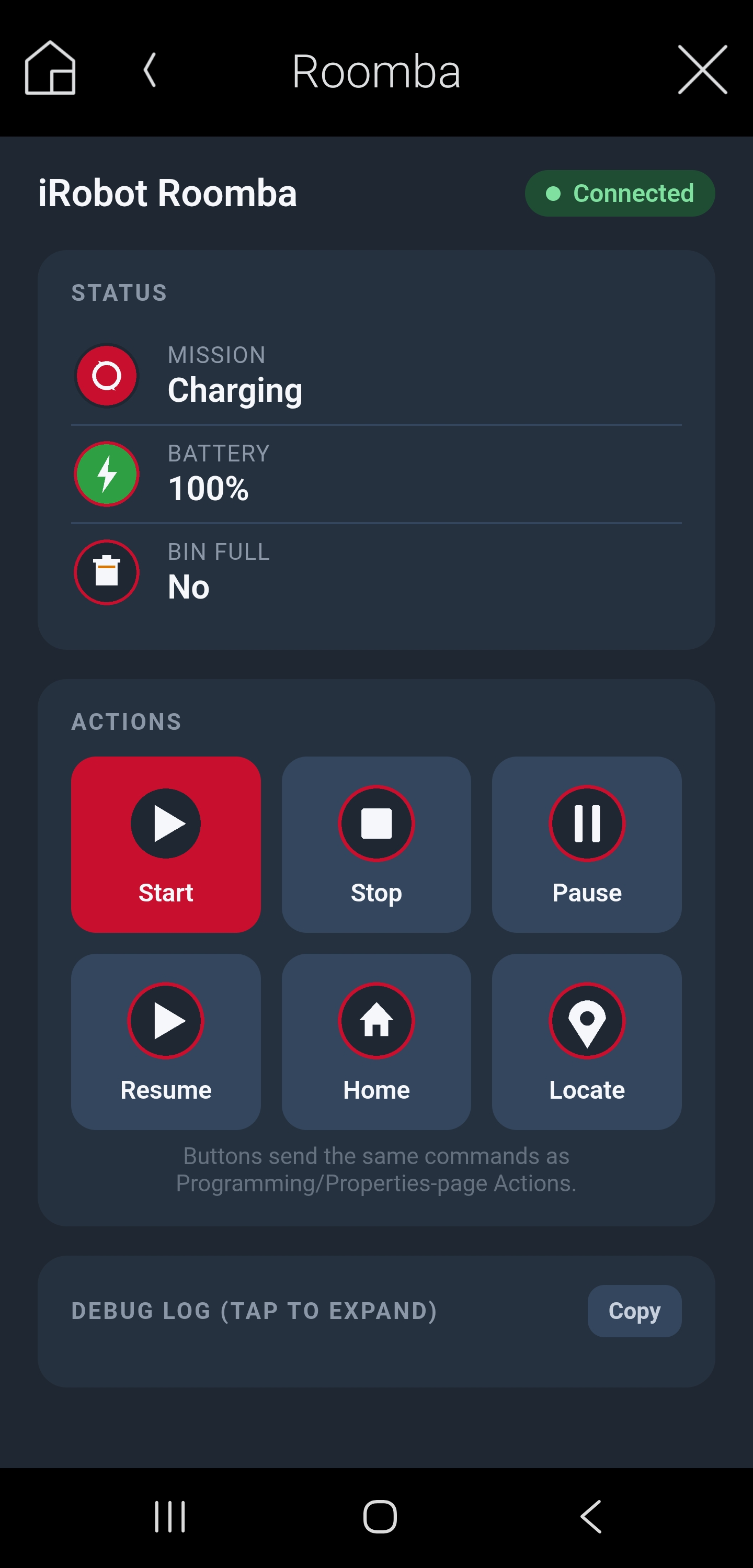
Commands: Start, Stop, Pause, Resume, Return to Home (dock), and Locate (beep).
Live status: Battery Level, Bin Full, Mission Status, and Connection Status — visible in Composer properties and on a built-in custom touchscreen control page with dedicated action buttons, so end users get a real dashboard instead of a single multi-click icon.
Programming: six events (Cleaning Started, Cleaning Finished, Returning to Dock, Docked, Bin Full, Error) and matching conditionals for use in Control4 programming.
Setup is a one-time cloud login with the customer's existing iRobot Home app credentials, used only to look up the robot's local connection details (IP, BLID, password) and auto-fill them — nothing to retrieve by hand.
Confirmed on a Roomba 690 (firmware 3.5.62). The same underlying local protocol is shared across iRobot's Wi-Fi-connected fleet (600i/900/ i-series/s-series/e-series, Braava jet m6), though only the 690 has been hardware-tested so far. Not compatible with iRobot's newer x05-series (105/405/505) or Combo models, which use a different protocol.
