


4Drivers LG AC Connect Hub connects LG ThinQ air conditioners straight to Control4 through the cloud — no PC, gateway, or local service required anywhere on the customer's network. The driver talks directly to LG's ThinQ Connect API from the Control4 controller itself using a Personal Access Token.
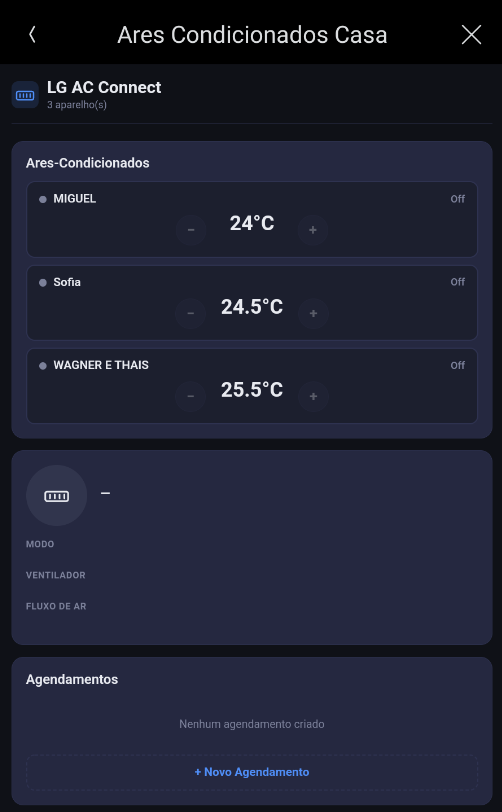
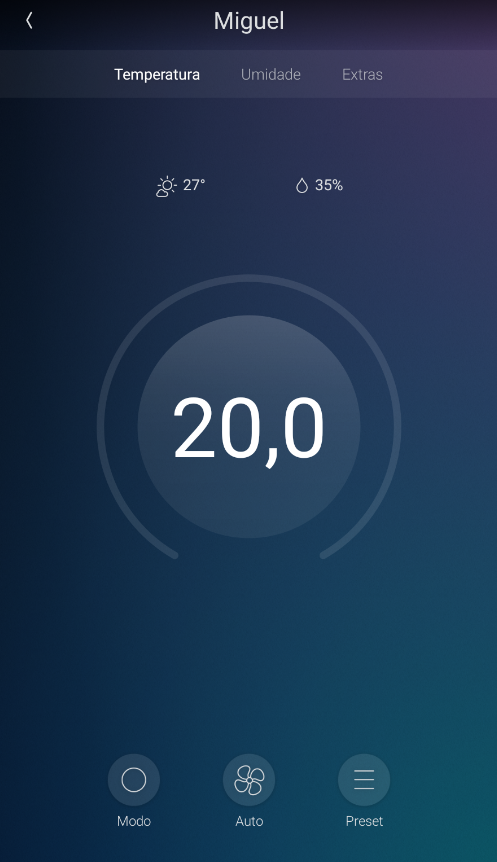
Once configured, it automatically discovers every air conditioner on the account and puts full control — power, mode, temperature, fan, and air swing — in a built-in, responsive HTML interface available on any Control4 Navigator. Scheduling lives right in the interface too, letting you target a single unit or every unit at once by day of week and time.
For projects that want a native look and feel, an optional companion driver exposes each LG unit as a standard Control4 thermostat card, complete with Presets.
Key Features
-
Direct cloud integration with LG ThinQ Connect — no local PC, gateway, or bridge hardware
-
Automatic discovery of every AC on the account
-
Full control: power, mode, temperature, fan speed, and air swing (adapts to whatever each model actually supports)
-
Built-in HTML interface for any Navigator, in Portuguese, English, or Spanish
-
Multi-device scheduling, by day of week and time, targeting one unit or all of them
-
Optional companion driver for a native Control4 thermostat card, with Presets
-
Hub Online / Hub Offline events for use in programming and notifications
-
Compatible with Control4 OS 3.0.0 and above
Requirements
-
Active LG ThinQ account with at least one registered air conditioner
-
Personal Access Token generated at connect-pat.lgthinq.com
-
Control4 OS 3.0.0 or higher
-
Controller with internet access (direct communication with LG's cloud)
