


AI Adaptive Climate for Control4 is a third-party Control4 driver designed to help dealers sell and deliver a more intelligent residential comfort automation experience without building every supported temperature behavior manually in Composer.
Many smart home projects are still delivered mainly around thermostats, app control, schedules, and basic manual temperature adjustment. Advanced room-by-room comfort automation is possible in Control4, but it usually requires significant custom programming, careful testing, and experienced commissioning. This driver gives dealers a repeatable way to offer a higher-level comfort automation experience as part of the project proposal.
LivingMind Home provides an adaptive comfort automation layer for supported residential temperature systems, including room-by-room comfort strategy, supported cooling behavior, energy-saving setback behavior, sleep/wake awareness where configured, and manual override protection.
For Control4 dealers, the value is clear: a stronger premium comfort automation package, an easier homeowner presentation, less repetitive Composer programming, more consistent project delivery, and better protection of project margin. It helps dealers differentiate their projects from basic thermostat-and-app control systems and present Control4 climate control as part of a more intelligent home experience.
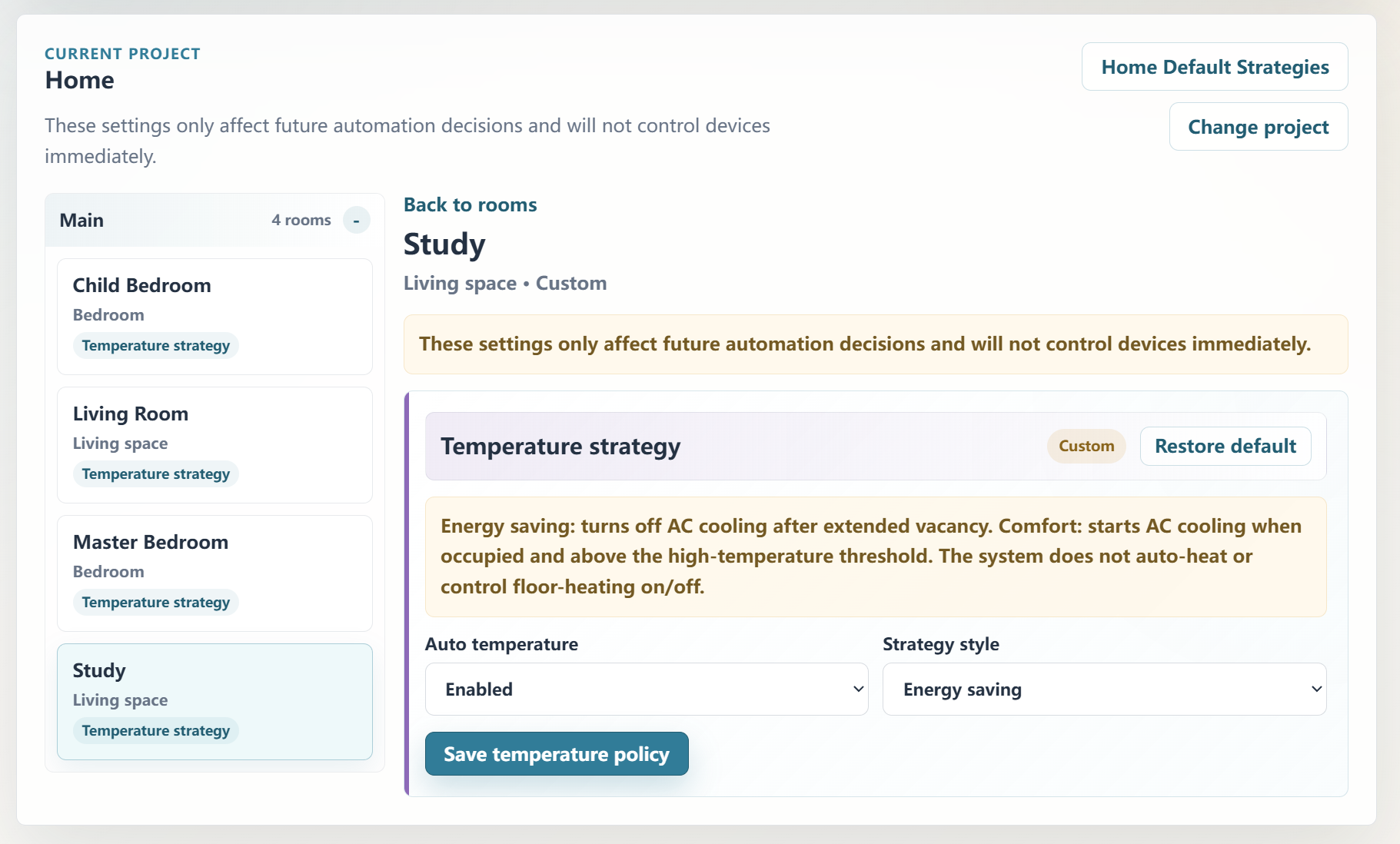
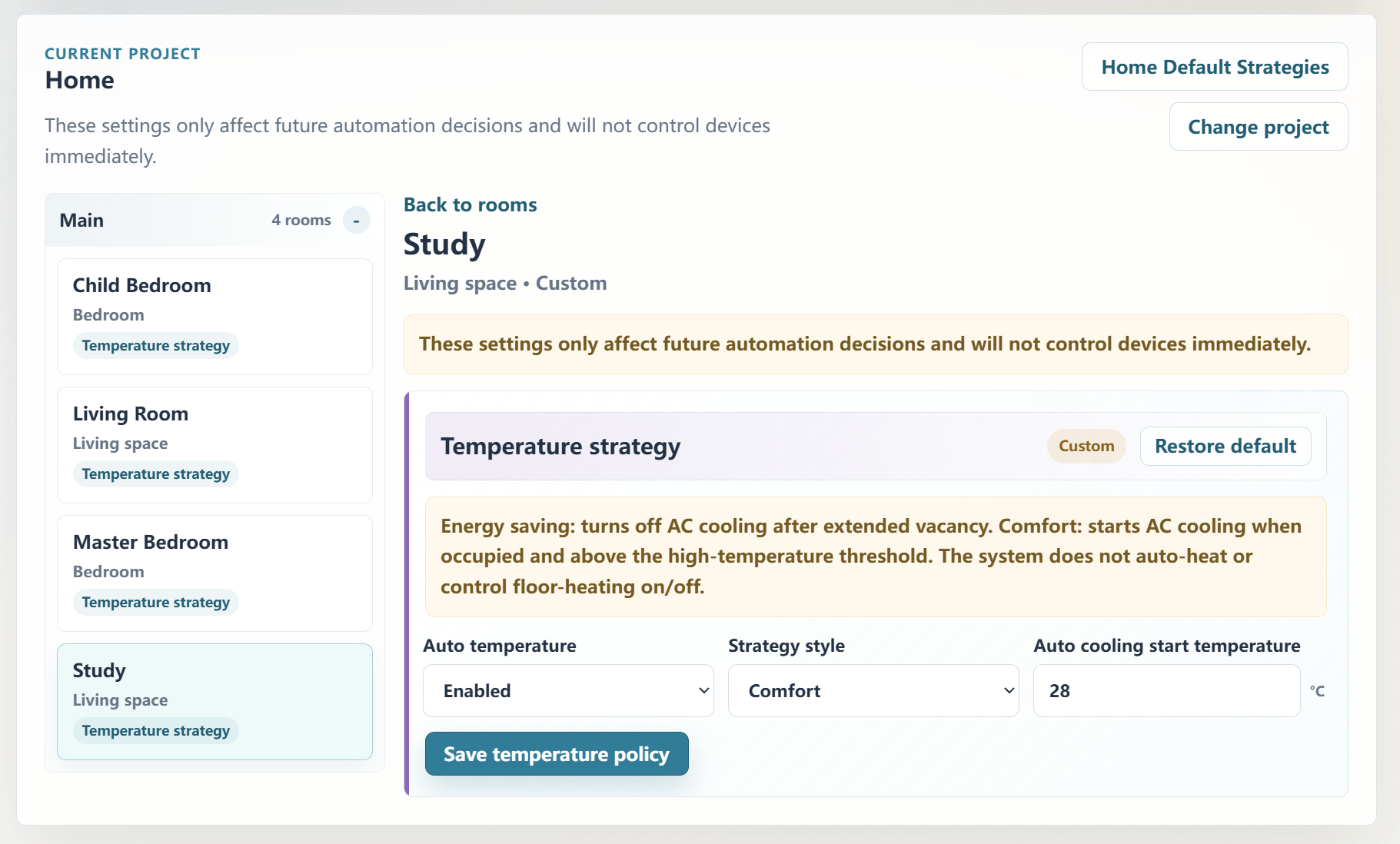
The Homeowner Web Portal allows comfort defaults and room-by-room temperature strategies to be adjusted from a web page after the project is bound. Supported comfort behavior and temperature automation style can be tuned per room within the system’s supported policy options. This gives homeowners confidence that the system can adapt to real living habits after installation, while giving dealers a stronger long-term tuning, upgrade, and professional service story.
The driver is intended for residential convenience, comfort, supported cooling, and energy-saving automation only. It is not intended for security, life safety, emergency response, fire, smoke, carbon monoxide, water leak, gas leak, medical, elder care, door lock, garage door, automatic heating, safety-critical HVAC control, lighting automation, or shade automation.
This is a third-party Control4 driver and is not an official Control4 product.
No posts found
Overview
AI Adaptive Climate for Control4 helps dealers deliver a more intelligent residential comfort automation experience without building every supported temperature behavior manually in Composer.
Many Control4 projects rely mainly on thermostats, app control, schedules, and basic manual temperature adjustment. This driver gives dealers a repeatable way to offer a higher-level comfort experience with room-by-room temperature strategy, supported cooling behavior, energy-saving setback behavior, sleep/wake awareness where configured, and manual override protection.
The goal is simple: help dealers present a stronger Control4 comfort proposal, deliver a more premium homeowner experience, and reduce repetitive project-by-project programming while still keeping professional system design in the dealer’s hands.
Key Dealer Benefits
Helps create a more premium Control4 comfort automation proposal
Makes the value of intelligent comfort automation easier for homeowners to understand
Differentiates the project from basic thermostat-and-app control systems
Helps dealers deliver room-by-room comfort strategy with less repetitive Composer logic
Protects project margin by reducing duplicated programming and commissioning effort
Gives homeowners confidence that comfort behavior can be tuned to real living habits
Supports future tuning, upgrade, and professional service opportunities
Homeowner Web Portal
The Homeowner Web Portal allows comfort defaults and room-by-room temperature strategies to be adjusted from a web page after the project is bound.
This allows supported comfort behavior to be tuned per room instead of relying only on one whole-home setting or fixed schedule. Homeowners can safely adjust everyday comfort preferences within the supported policy options, while dealers retain control of the core system design and commissioning.
Dealers can present a smarter, more flexible comfort system during the sales process, and homeowners can see that the home can adapt to how they actually live after installation.
Core capabilities include:
Room-by-room comfort strategy for supported cooling and energy-saving setback behavior
Temperature Automation Style configuration through the Homeowner Web Portal
Manual override protection so homeowner adjustments are respected
Sleep/wake awareness where configured and supported
Homeowner Web Portal support, allowing comfort preferences to be tuned around the homeowner’s real living habits instead of being locked into fixed programming
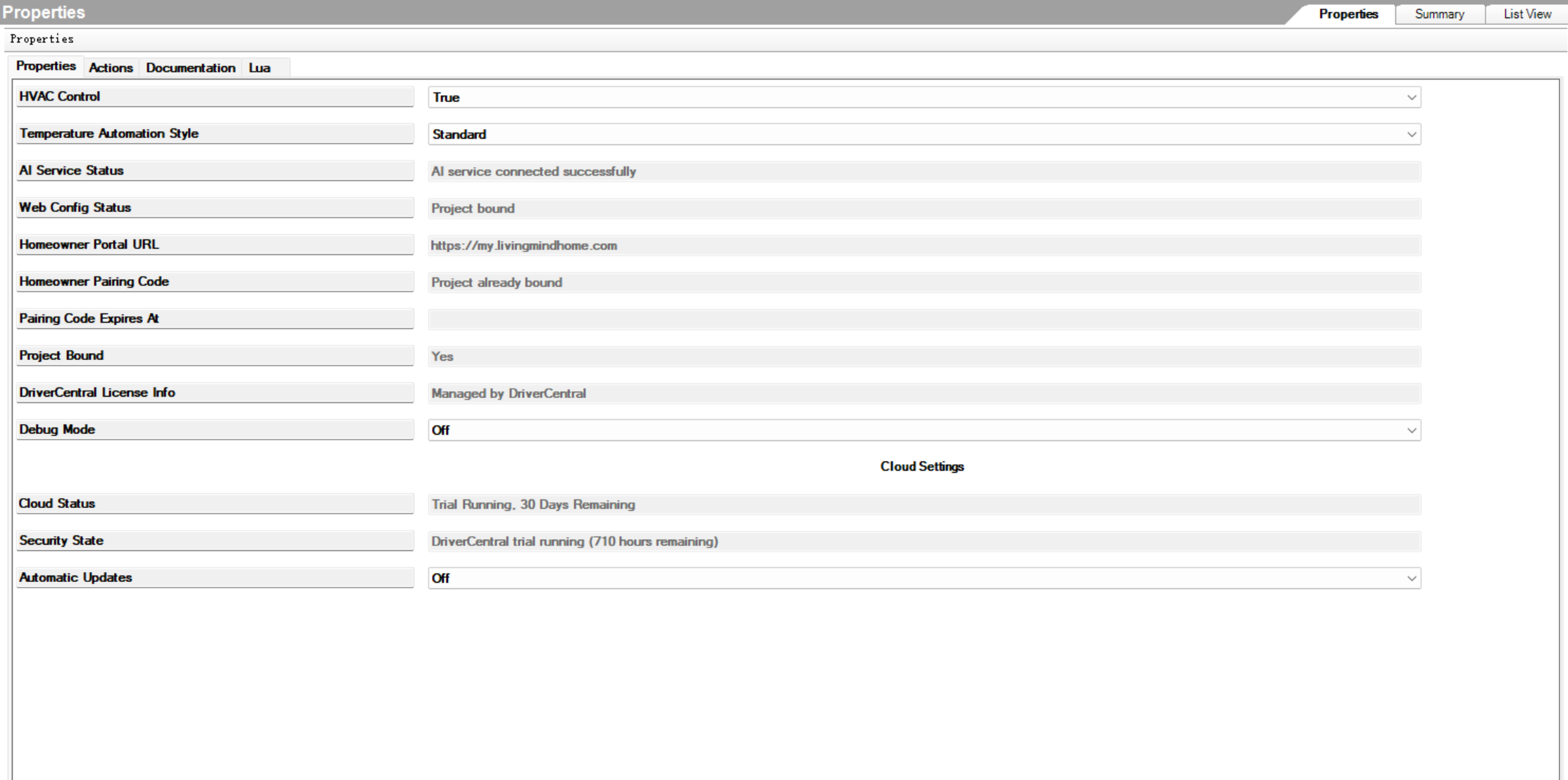
Composer controls for HVAC-related configuration and refresh behavior where supported
Basic Setup
Install the driver in Composer Pro.
Confirm DriverCentral license or trial status.
Review supported thermostat / HVAC devices and room assignments.
Review Temperature Automation Style.
Bind the project to the Homeowner Web Portal if room-by-room comfort strategy control is desired.
Configure comfort defaults and room temperature strategies in the Web Portal.
Test supported comfort automation before final handover.
Naming Recommendations
For best automatic detection, use clear English or Chinese names for rooms and supported temperature devices.
Examples:
Rooms: Master Bedroom, Bathroom, Kitchen, Living Room, Theater, Office
Temperature devices: Bedroom Thermostat, Living Room Thermostat, AC, HVAC, Floor Heat
Other languages may work for basic device control, but advanced automatic classification is best with supported English or Chinese naming.
Important Notes
This driver is designed for residential comfort, convenience, supported cooling, and energy-saving automation. It is not intended for security, life-safety, emergency response, medical, door lock, garage door, automatic heating, or safety-critical HVAC control.
The driver must not be used as a safety device, emergency temperature control system, medical support system, freeze protection system, heat protection system, or life-safety HVAC controller.
This is a third-party Control4 driver and is not an official Control4 product.
Version 104
- Added an automatic revert function for temperature settings in the "Good Night" scene.
Version 103
Major Homeowner Web Portal and room comfort strategy update.
- Added Homeowner Web Portal support.
- Added project binding and Web policy synchronization.
- Added comfort defaults and room-by-room temperature strategy configuration.
- Added Temperature Automation Style support through the Web Portal.
- Added Web-based default inheritance handling for room comfort strategies.
- Added Driver runtime support for Web resolved room temperature policies.
- Updated Composer fallback behavior when Web Portal is not bound or unavailable.
- Improved comfort automation room enable/disable behavior.
- Reduced normal diagnostic log output when Debug Mode is Off.
- Updated DriverCentral documentation for Web Portal and room comfort strategy behavior.
