

Group Lighting. Beautiful Scenes. Effortlessly.
Zigbee2MQTT Group Lighting and Scene Cycling for Control4
Z2M Scene Cycler combines everyday Control4 group lighting with Zigbee2MQTT scene recall and cycling. Turn a group on or off, dim its lights, choose colors or white temperature, and use native On/Previous presets from the familiar Control4 lighting interface. Configure supported brightness/color transitions and Dim-To-Warm/Color Fade for daily use.
One driver instance controls one Zigbee2MQTT group. Add instances for additional rooms or lighting groups. Available controls follow the capabilities shared by every member, so the same driver can serve compatible bulbs, light strips and mixed lighting groups across manufacturers.
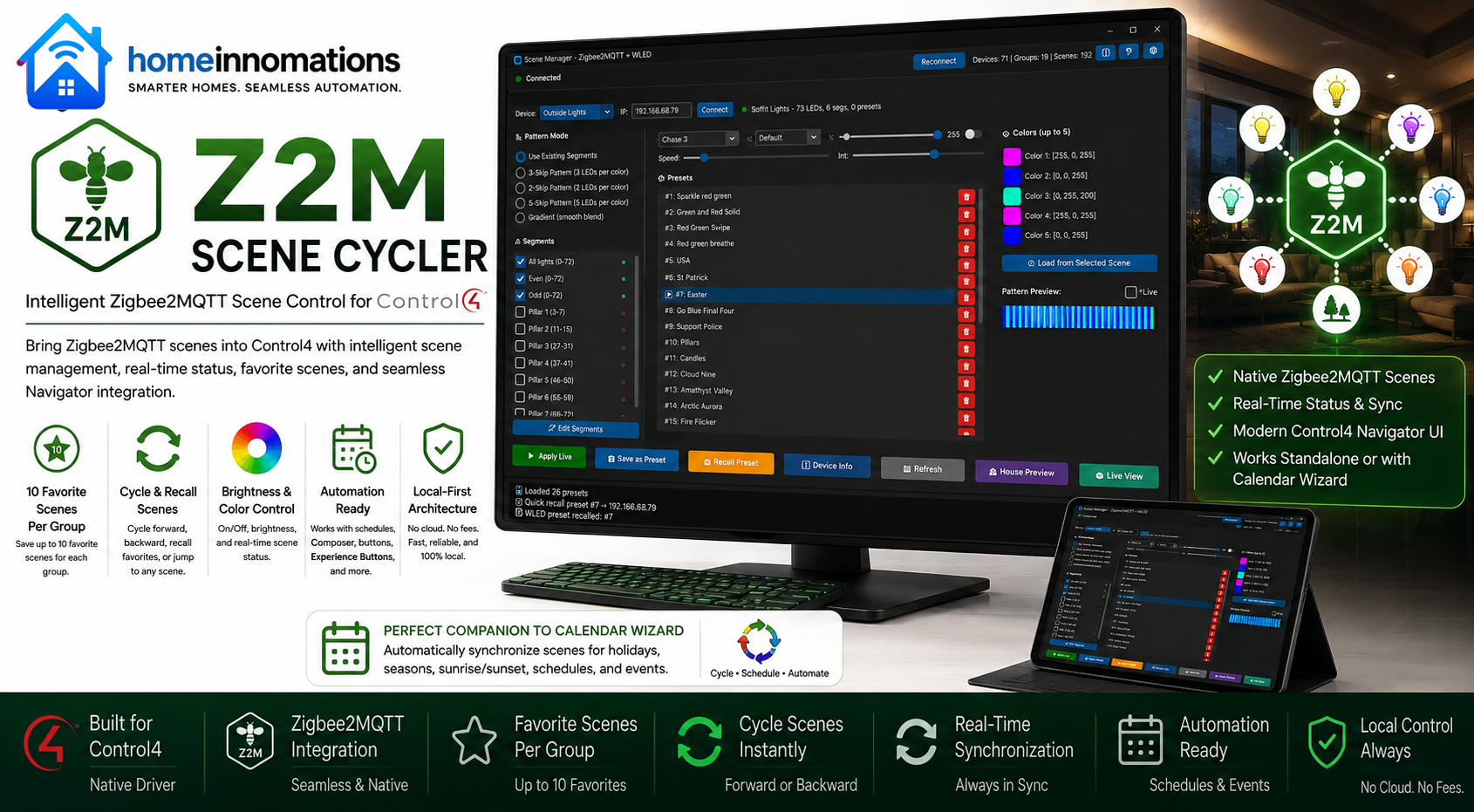
Scene cycling remains a core feature: assign up to 10 favorite saved scenes, recall or cycle them from keypads and Navigator, and optionally use Calendar Wizard for seasonal automation. Everyday lighting works independently of Calendar Wizard and does not require saved scenes when using Control4 Lighting power-on behavior.
Why You'll Love Z2M Scene Cycler
Native Zigbee2MQTT installations deserve the same seamless Control4 experience as every other lighting platform.
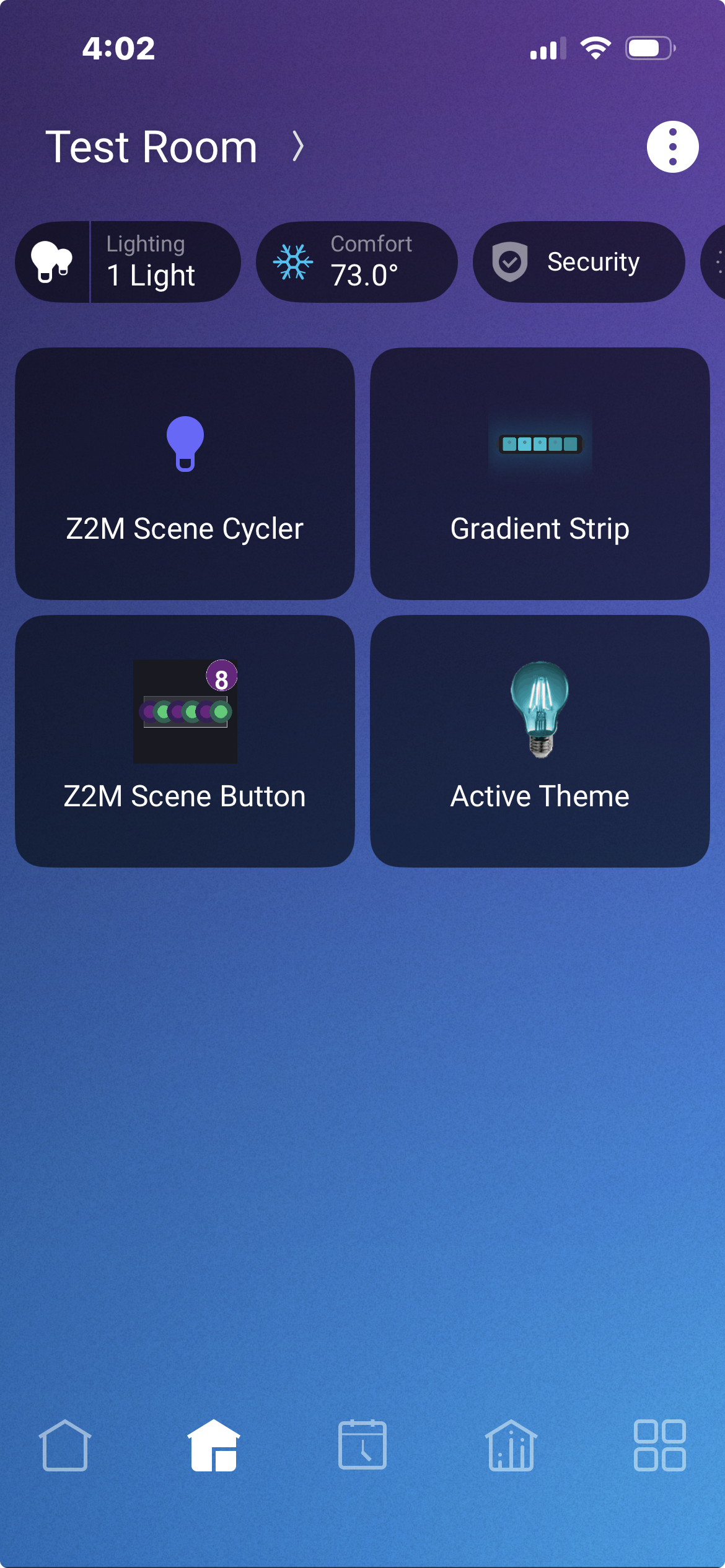
Z2M Scene Cycler puts your Zigbee scenes directly into Control4 Navigator, Composer programming, keypad button links, Experience Buttons, and automation events — no external applications required for everyday use.
For Zigbee2MQTT installations, one group driver supports both daily lighting and the favorite-scene workflow.
Key Features
Everyday Group Lighting
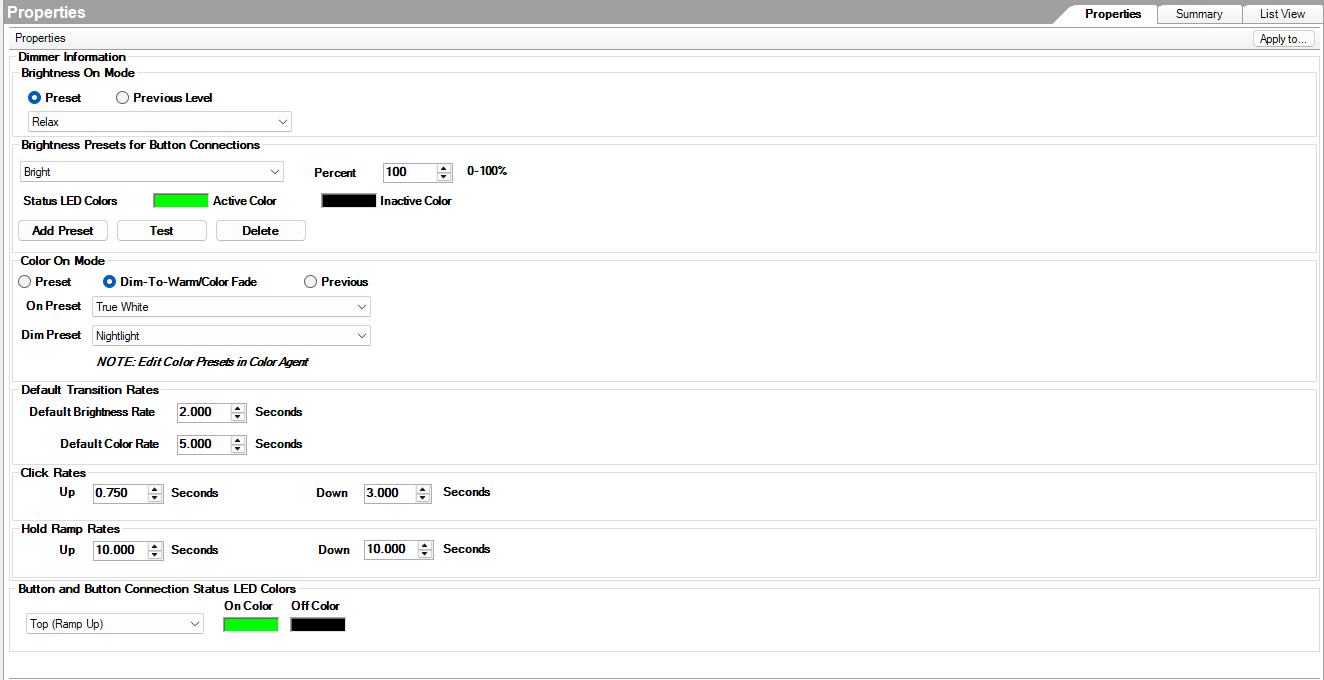
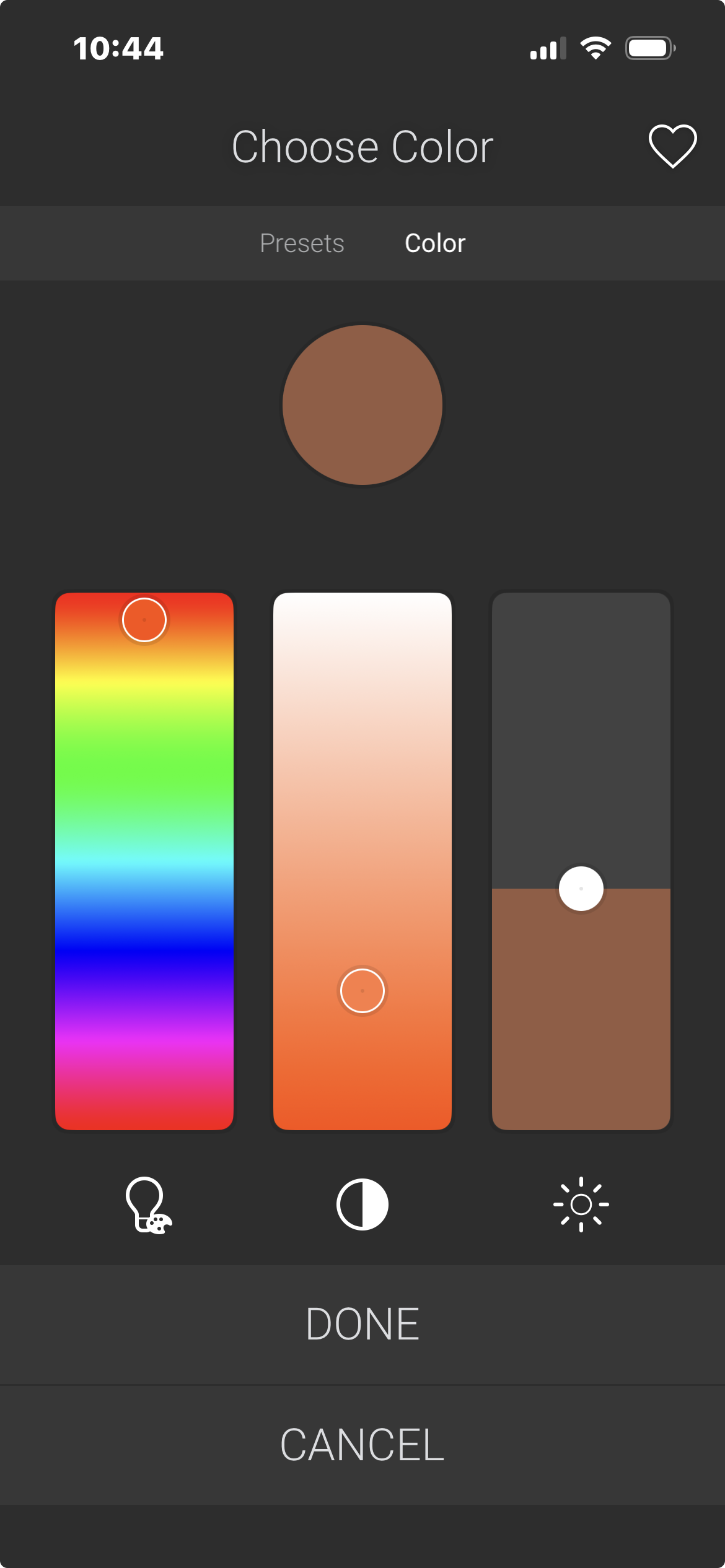
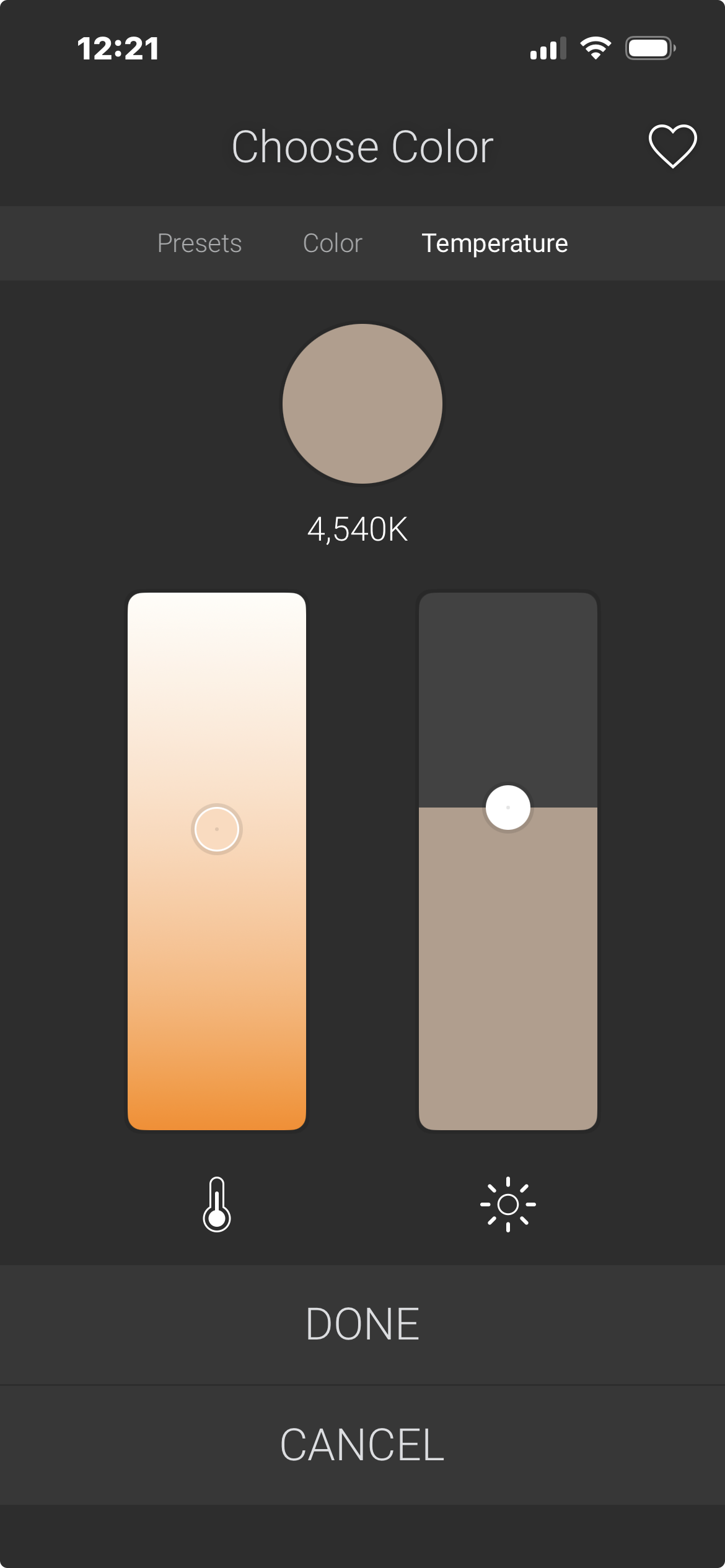
Use the standard Control4 light interface for group on/off, brightness, color and white temperature where supported. Choose Control4 Lighting power-on behavior for native lighting presets, Previous Level, remembered OFF color and Dim-To-Warm/Color Fade. Supported groups also offer independent brightness/color rates and keypad click/hold dimming.
10 Configurable Scene Slots per Group
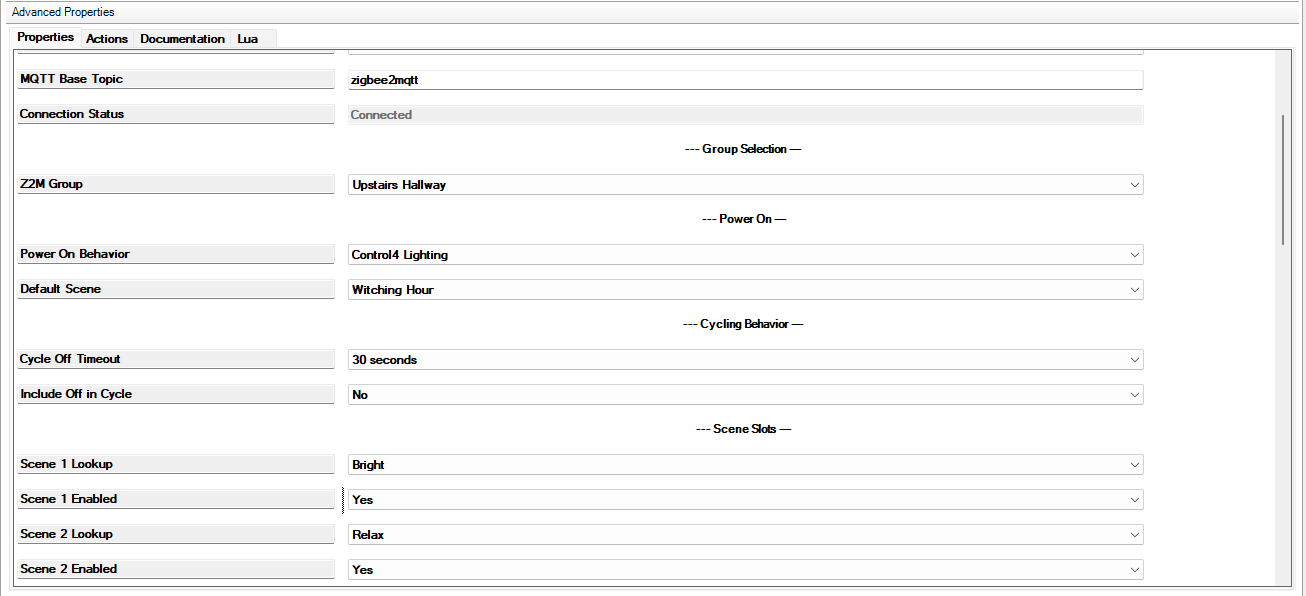
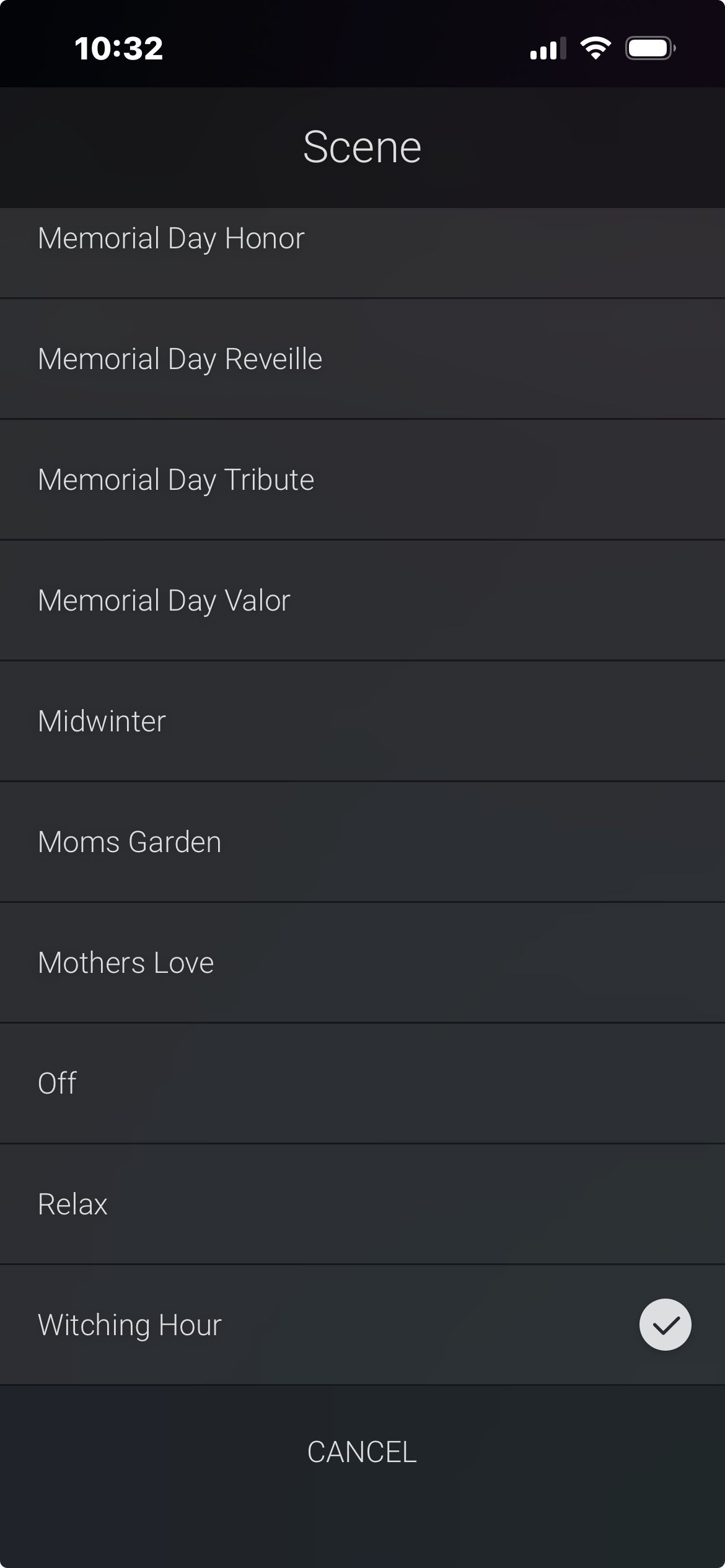
Save up to 10 favorite Zigbee scenes for each Zigbee2MQTT group. Recall, cycle forward, cycle backward, or jump directly to any slot. Perfect for everyday lighting, seasonal décor, entertaining, and holiday displays.
Native Zigbee2MQTT Integration
Automatic discovery of your Zigbee2MQTT groups and scenes. The driver connects to your MQTT broker, subscribes to state updates, and stays in sync with your Zigbee mesh in real time.
Modern Light V2 Proxy
Full Control4 Navigator support — on/off, brightness control, color reporting, and scene selection — delivered through Control4's modern light proxy for a first-class user experience on every Navigator platform.
Native Lighting and Effects
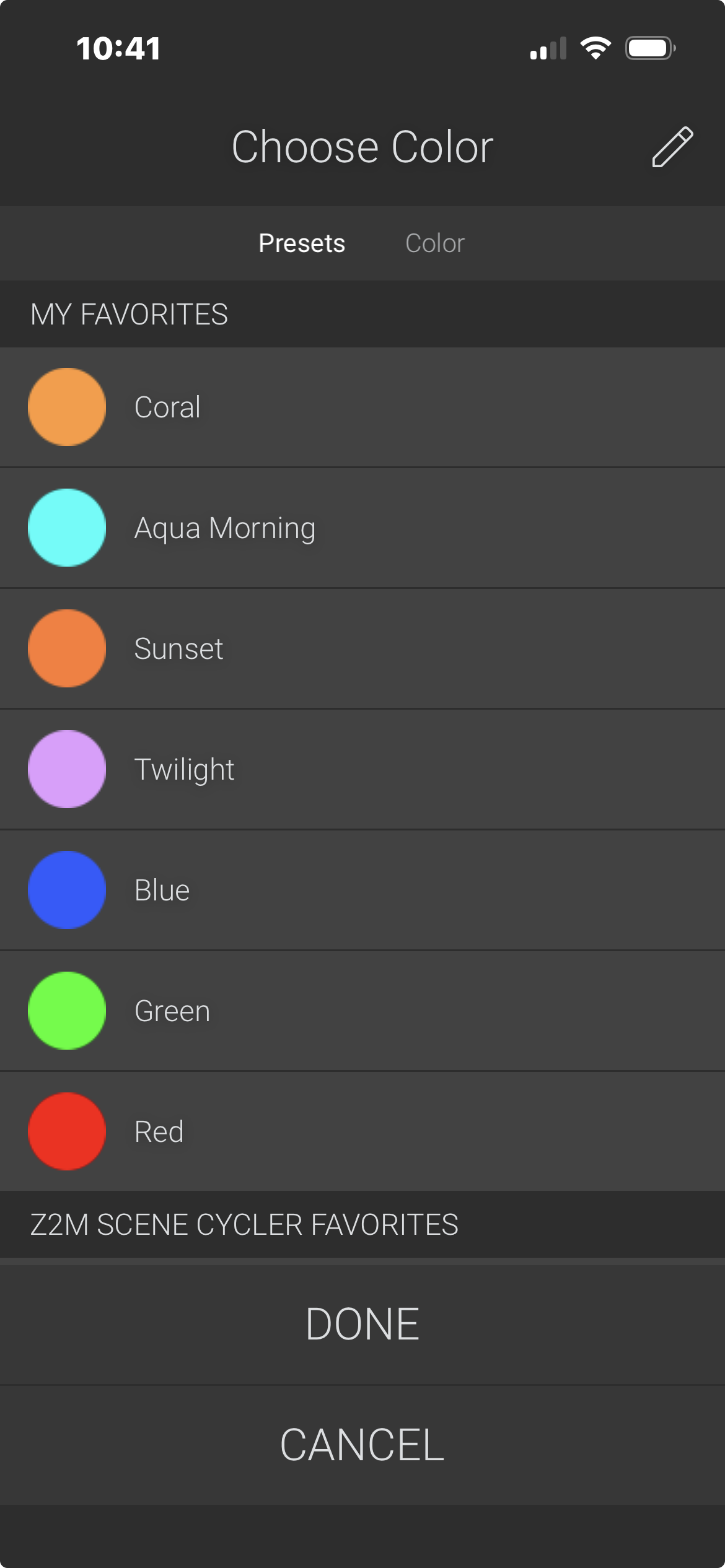
Choose First Scene, Last Scene, Default Scene or Control4 Lighting for ordinary ON. In Control4 Lighting mode, use On/Previous presets, Dim-To-Warm/Color Fade and independent brightness/color transition settings. A color chosen while OFF is remembered for the next Lighting ON.
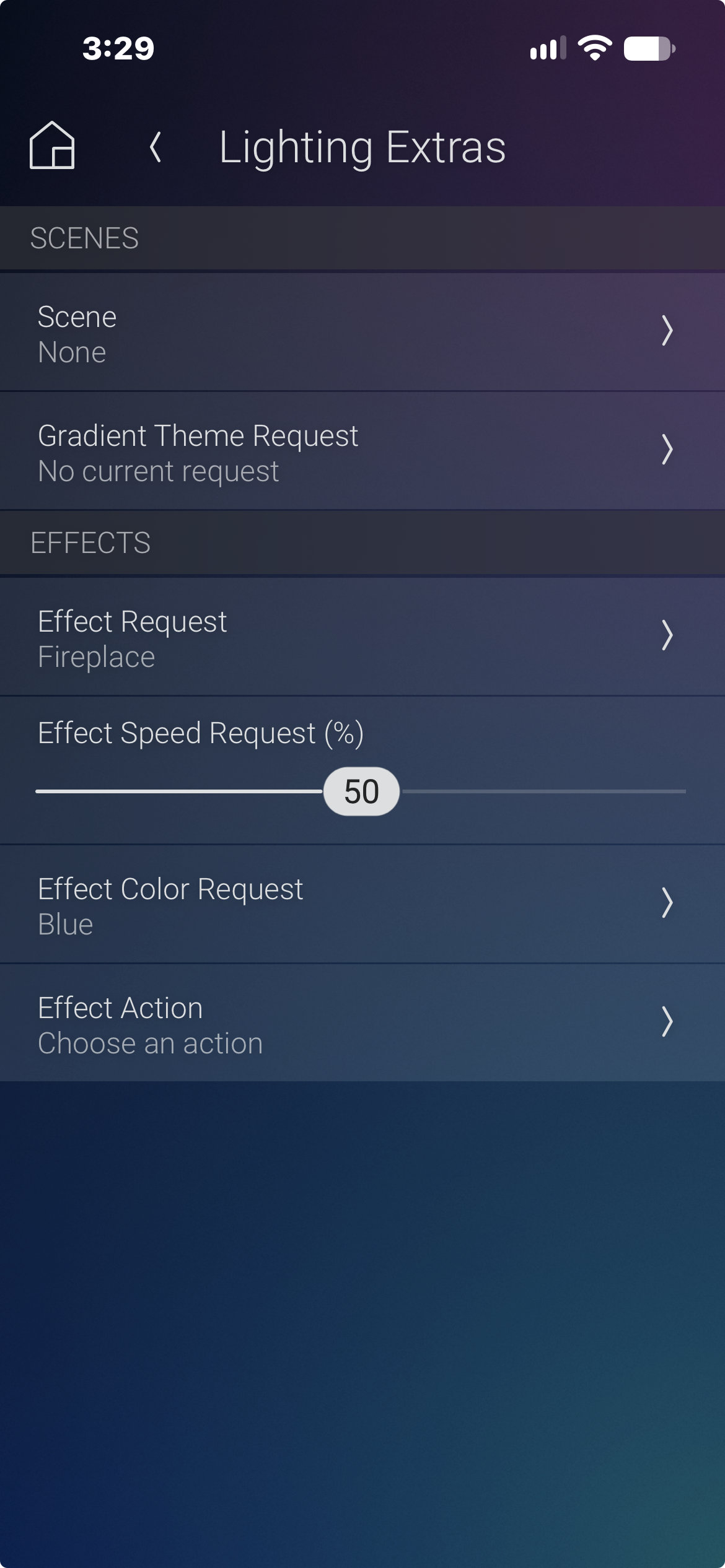
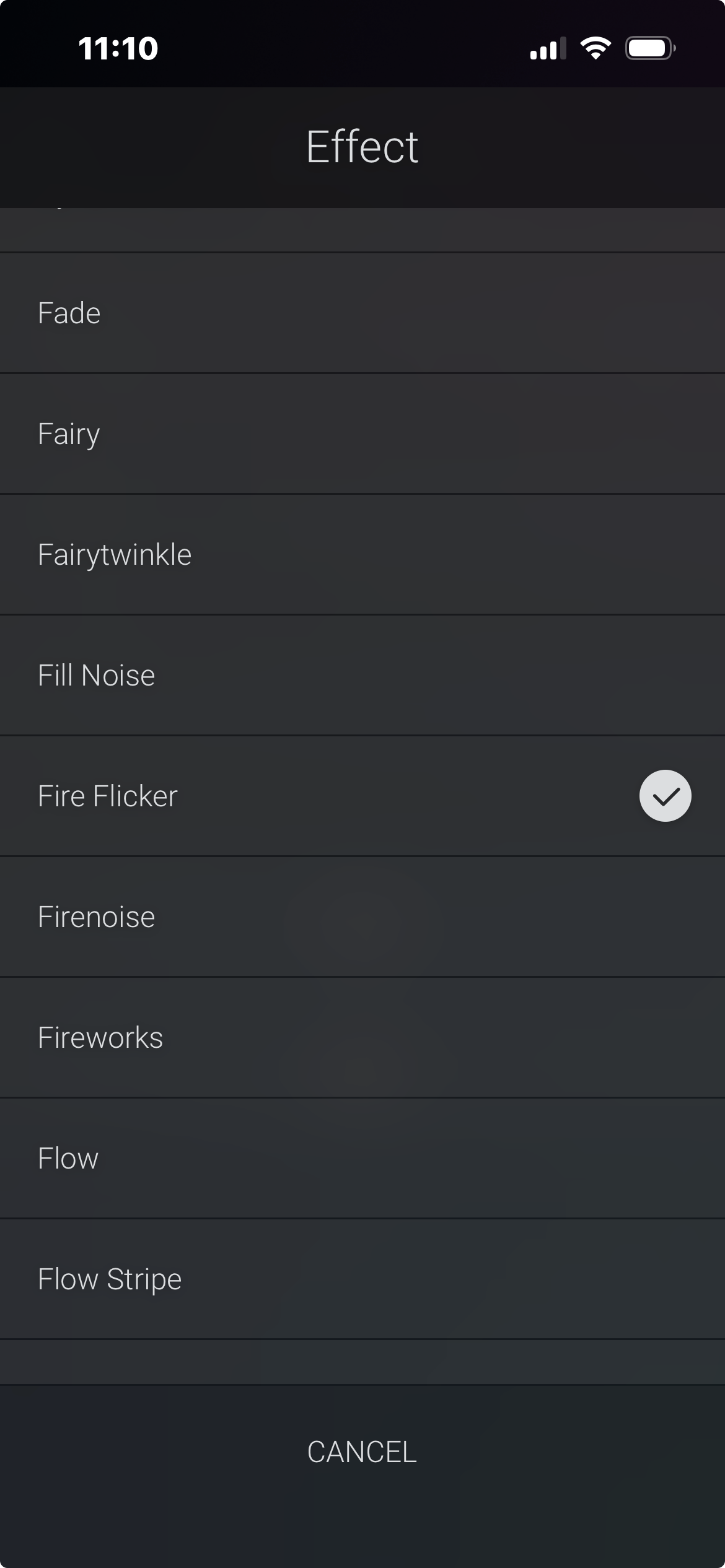
Navigator Extras offers device-advertised animations, supported speed/tint requests, separate identification actions and built-in gradient themes shared by every member. Effects are not restricted to Hue devices. One Stop Effect choice ends the animation request; brightness adjustments preserve it.
Controls depend on the selected group's capabilities. Transition and dimming-stop eligibility comes from member metadata, not a model-name allowlist. Every member must meet the relevant requirements; unsupported groups retain capability-appropriate immediate controls. Native Zigbee scenes retain their stored settings.
Keypad Button Link Integration
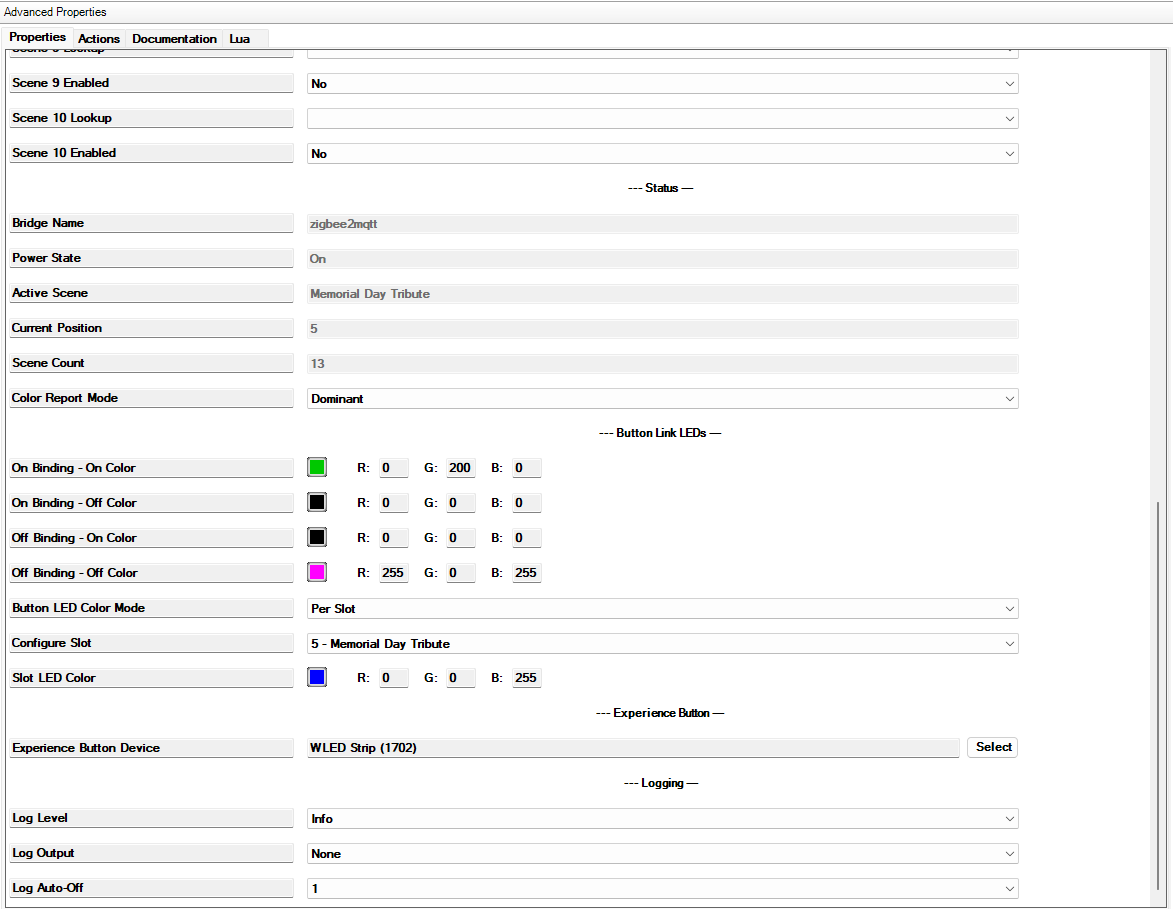
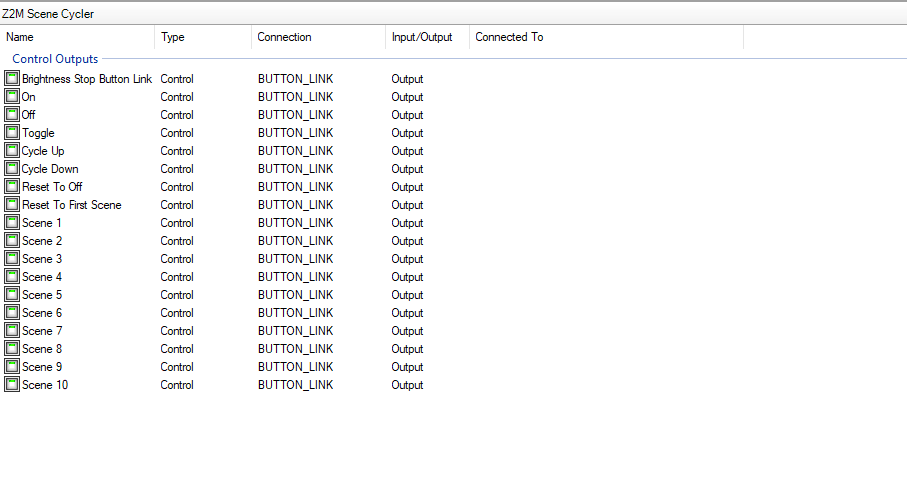
Seventeen button link outputs cover every scene-selection scenario: On, Off, Toggle, Cycle Up, Cycle Down, Reset To Off, Reset To First Scene, and direct Scene 1–10 slots. Assign to Control4 keypads, in-wall touchpads, and rocker switches.
Experience Button Support
Compatible with the Home Innomations WLED Experience Button and Hue Experience Button drivers. Your Experience Button icon color follows the active Zigbee scene automatically — a beautiful visual state indicator for any room.
Real-Time State Reporting
Live scene status, brightness feedback, and color reporting (CIE 1931 chromaticity) report observed group state to Control4 Navigator. Scene requests remain distinct from confirmed scene feedback.
Programming, Events, and Conditionals
Use matching Actions and Commands for scenes, cycling, brightness, OFF, animations, effect actions, speed/tint and built-in gradient themes. Native Light V2 provides everyday group-lighting programming. Refresh Scenes retrieves the current broker catalog without overwriting favorite slots.
Conditions cover power, configured scenes, all discovered Z2M scenes, MQTT connection and effect/gradient request history. Readable variables include Current Scene Slot, Active Scene Name, Power State, Connected, Effect Request and Gradient Theme Request. Scene/slot, power and connection events remain available, with separate Effect Request Changed and Gradient Theme Request Changed events. Request feedback does not claim physical playback or appearance.
Built for Automation
Z2M Scene Cycler integrates naturally with:
- Composer Programming
- Button Links and Keypad Buttons
- Experience Buttons
- Scheduled Events and supported single-element Advanced Lighting Scenes
- Voice Control
- Calendar Wizard for annual seasonal automation
Perfect for holiday lighting, seasonal lighting, landscape lighting, outdoor lighting, accent lighting, and whole-home automation.
Perfect For
- Native Zigbee2MQTT installations
- Holiday and seasonal lighting
- Landscape and outdoor lighting
- Architectural accent lighting
- Whole-home Zigbee lighting deployments
- Luxury residences and advanced Control4 systems
Local-First Architecture
- No subscriptions.
- No cloud dependency.
- No annual licensing.
Communication runs directly between the Control4 controller and your Zigbee2MQTT broker on your local network. Control stays fast, responsive, and entirely local.
Expand Your System
Z2M Scene Cycler is a complete standalone Control4 driver. Extend your installation with optional companion products from Home Innomations:
- Calendar Wizard — the automation engine that dispatches themed scenes across your entire lighting ecosystem based on holidays, seasons, sunrise/sunset, and custom events
- WLED Theme Cycler — bring WLED-powered LED strips into the same coordinated ecosystem
- Hue Scene Cycler — coordinate Philips Hue scenes alongside your Zigbee2MQTT scenes
- WLED Experience Button and Hue Experience Button — companion Experience Button drivers for visual state indication
Available as part of the Calendar Wizard Automation Suite — the Suite includes all four cycler drivers plus the Scene Studio desktop application, which is exclusive to the Suite. See the Calendar Wizard Automation Suite listing on DriverCentral for details.
Requirements
- Control4 OS 4.0.0 or newer (required by the native MQTT client)
- Running Zigbee2MQTT installation (Zigbee2MQTT 1.30 or newer)
- Reachable MQTT broker on the local network
- Configured Zigbee2MQTT lighting groups; saved scenes are optional for everyday Control4 Lighting use
- Local network connectivity between the Control4 controller and MQTT broker
Complete documentation is included with every driver download.
Included resources:
- Quick Start Guide
- Comprehensive HTML documentation accessible directly within Composer
- Installation and configuration guide
- Programming examples
- Troubleshooting guide
- Revision history
Version 20261104 (November 4, 2026)
- Add Connected and effect/gradient request conditions and change events.
- Add optional OFF steps and inactivity timeout behavior to scene cycling.
- Offer device-advertised group animations, identification actions and shared built-in gradient themes.
- Keep animation requests and parameter controls when sending identification actions.
- Simplify Extras to one Stop Effect choice; retain raw stop commands in Composer.
- Derive transition and dimming-stop eligibility from group member metadata.
- Preserve saved default rate ranges while startup discovery is incomplete.
- Correct programming event dispatch, Power State values and conditional display order.
Version 20261017 (October 17, 2026)
- Choose First Scene, Last Scene, Default Scene or Control4 Lighting for power-on behavior.
- Use native Control4 presets, Previous Level and Dim-To-Warm/Color Fade.
- Configure separate brightness/color transitions and click/hold dimming on supported groups.
- Choose a color or white temperature while OFF for the next Control4 Lighting ON.
- Select effects shared by every group member, with speed and named tint controls where supported.
- Receive live group power, brightness and color feedback with clear requested/confirmed scene status.
- Scene recall, OFF and explicit color changes clear effects and cancel superseded lighting work.
- Retain group-specific defaults, lighting settings and favorite scene slots across driver reloads.
Version 20260803 (August 2026)
Initial DriverCentral Release
- First public release on DriverCentral
- Native Zigbee2MQTT MQTT integration with automatic group and scene discovery
- 10 configurable scene slots per Zigbee group
- Cycle up/down and direct-slot recall
- Modern Control4 Light V2 proxy with brightness and color reporting
- 17 button link outputs for keypad integration (On, Off, Toggle, Cycle Up/Down, Reset To Off, Reset To First Scene, Scene 1–10)
- Experience Button integration (compatible with WLED and Hue Experience Button drivers)
- Color Report Mode: Dominant or Average color from active scene
- Composer events, conditionals, and variables for advanced programming
- Real-time state synchronization via MQTT subscription
- Configurable MQTT connection (host, port, credentials, base topic)
- Local-first architecture — no cloud, no subscriptions