


Recall Beautiful Scenes. Effortlessly.
Hue Scene Cycling for Control4
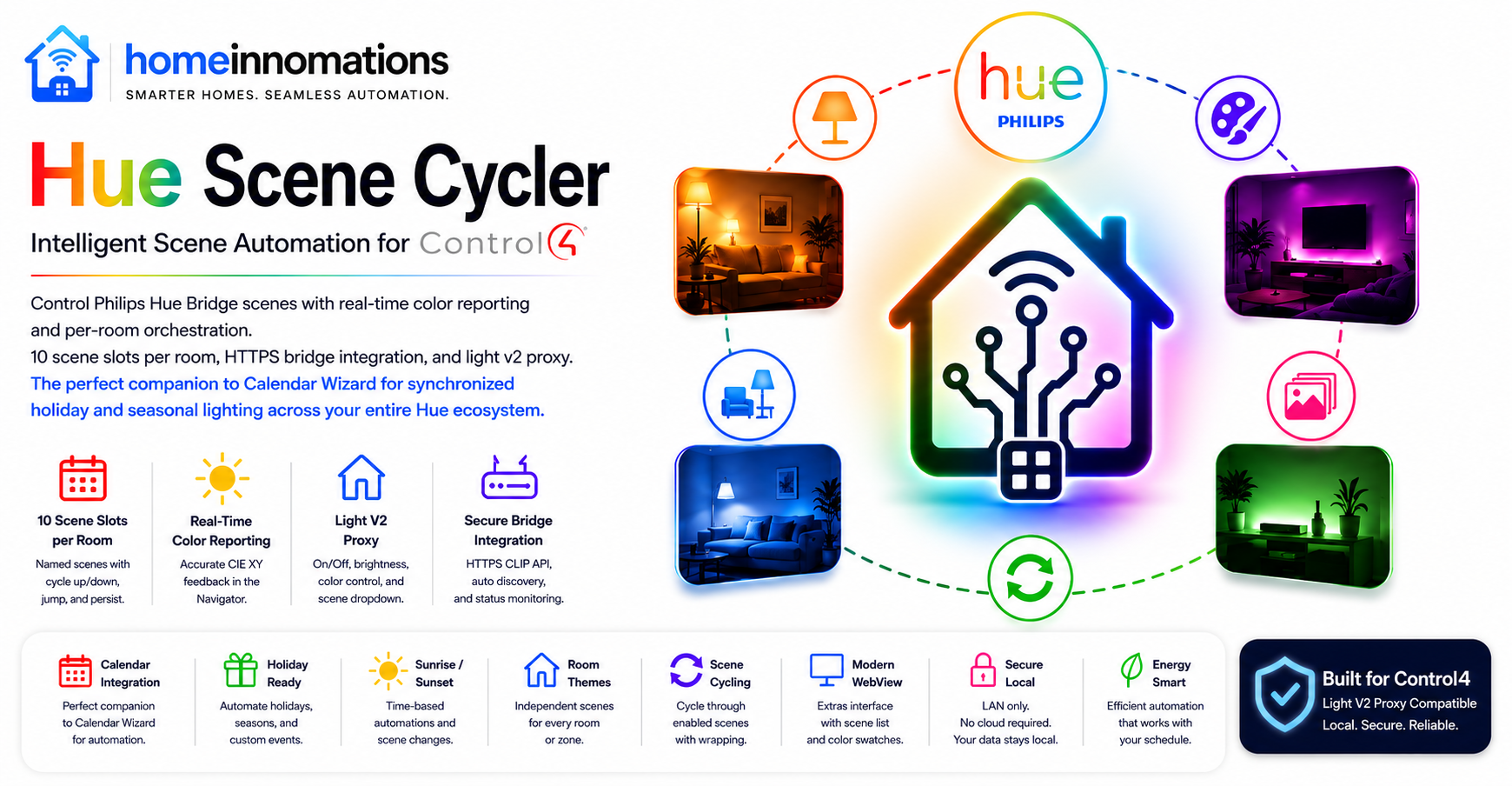
Hue Scene Cycler is a purpose-built driver focused on Hue scene recall and cycling from keypads, Navigator, and Calendar Wizard.
Configure up to 10 favorite scenes per Hue room or zone, cycle through them from any keypad button, and automate them across the year with Calendar Wizard.
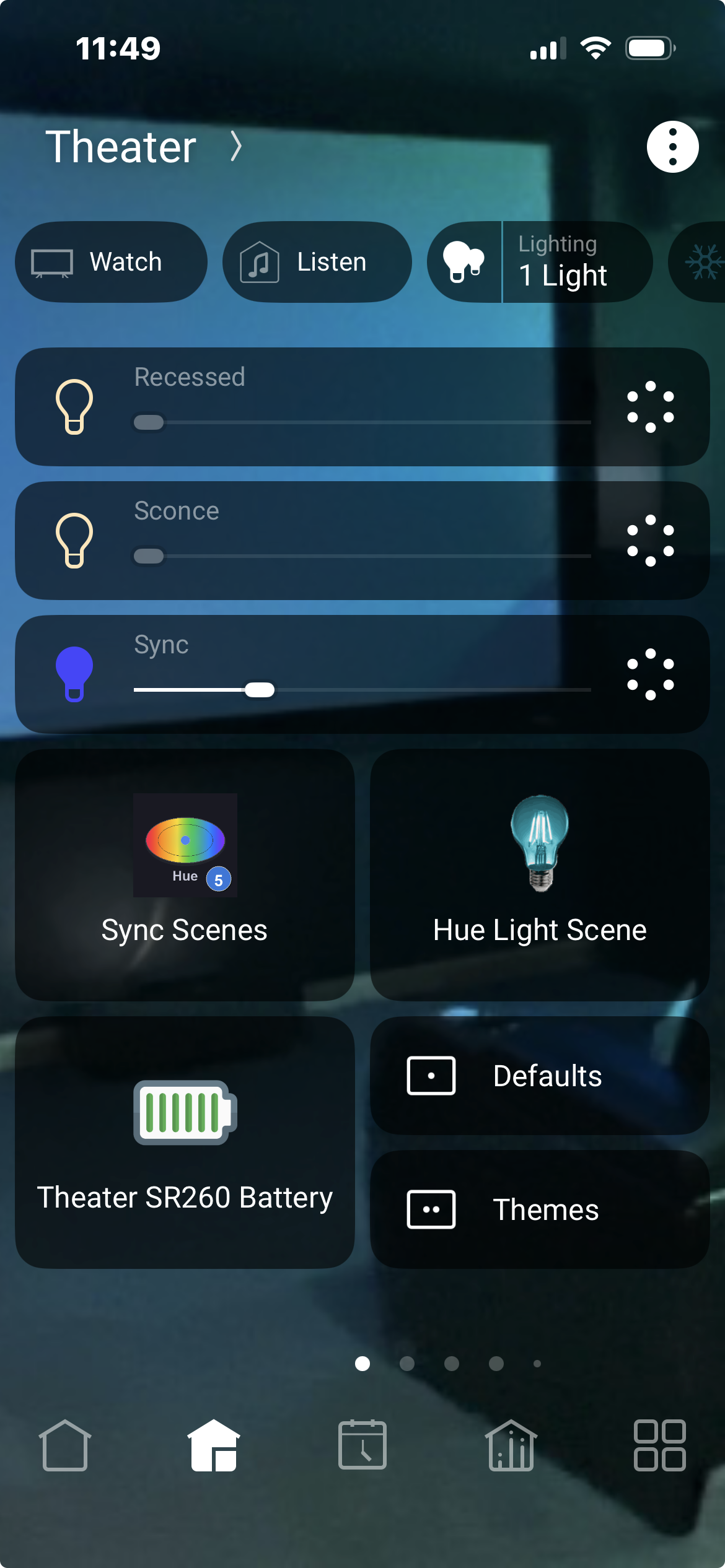
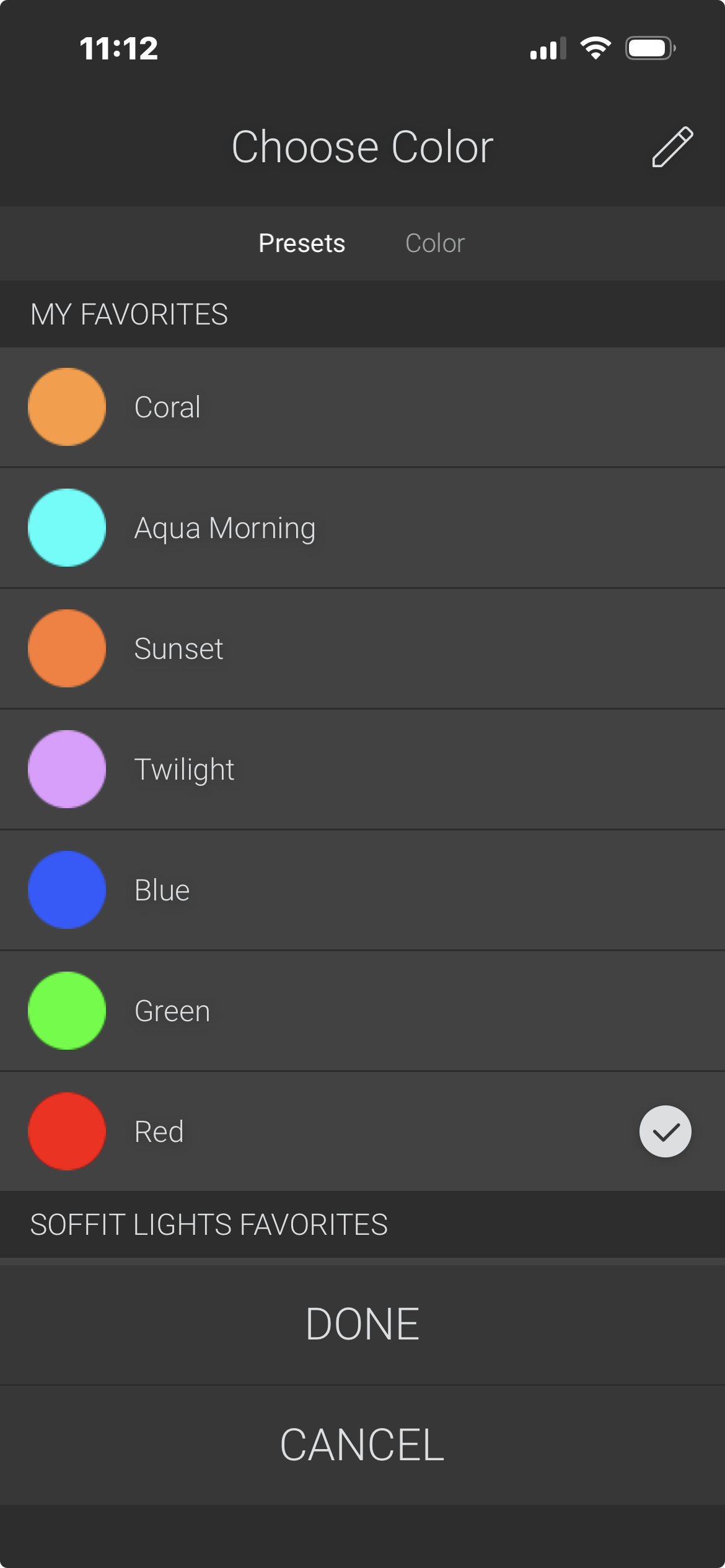
The driver connects directly to your Philips Hue Bridge V2 using the official CLIP V2 API. It shows up in Navigator as both a Light (for On/Off, brightness, color, and scene selection) and a Button (for cycling through favorites). The optional Experience Button reflects the current scene color as a lit bulb icon.
Real-time Server-Sent Events keep Control4 updated with your Hue Bridge — even when scenes are changed from the Hue app, wall switches, or other automation. No cloud dependency, no MQTT gateway, no third-party driver required.
Why You'll Love Hue Scene Cycler
Most Hue integrations are full light control, and offer scene recall as a secondary feature alongside individual bulb management.
Hue Scene Cycler takes a focused approach: scene cycling and keypad integration done exceptionally well. Everything about the driver — from the 10 configurable Scene Slots to the 17 button link connections to the four LED color modes — is designed specifically for the "press a button, recall a scene, cycle to the next" workflow that homeowners will enjoy.
Instead of relying on the Hue mobile app for everyday operation, homeowners recall favorite scenes directly from Navigator, Composer programming, keypad buttons, Experience Buttons, and automation events.
Built for Calendar Wizard Integration
Calendar Wizard automates lighting themes throughout the year based on holidays, seasons, and schedules. Hue Scene Cycler is the reliable path for Calendar Wizard to recall Hue scenes by name — the same scenes you've already designed in the Hue app.
Example: Design a "Halloween" scene in the Hue app for your living room. Calendar Wizard automatically recalls it on October 1st at sunset. No bulb configuration, no Composer programming, no maintenance.
Multiple Hue Scene Cycler instances coordinate through Calendar Wizard to automate scenes across every Hue room and zone in your home.
How It Works
Each Hue Scene Cycler instance controls one Hue room or zone. Setup is simple:
- Add the driver to your Composer project
- Enter the Hue Bridge IP address
- Press the physical link button on the Bridge and run Pair Bridge
- Select the Hue room or zone from the dropdown
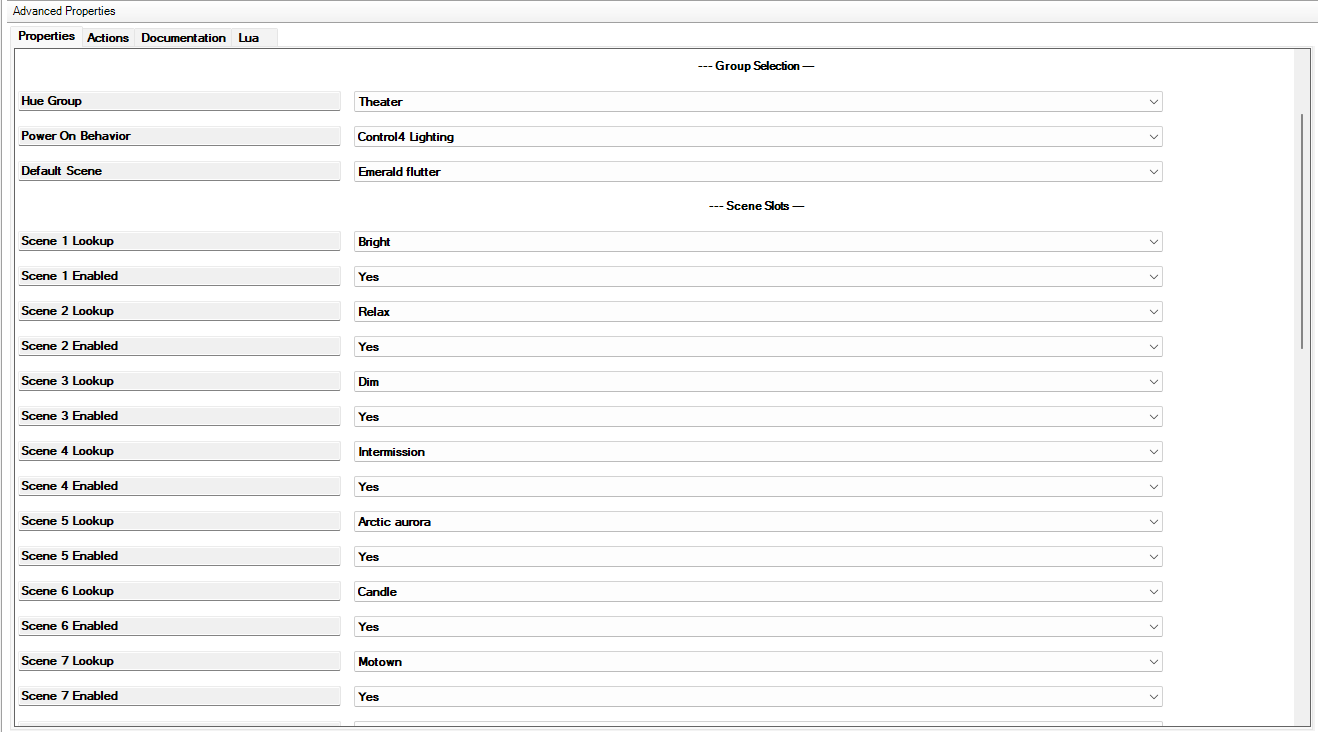
- Assign up to 10 favorite scenes to the Scene Slots
Done. Bind keypad buttons to Cycle Up, Cycle Down, or direct Scene 1–10 slots. Scene recall now works from any keypad, Navigator, or Composer programming.
Add multiple Hue Scene Cycler instances (one per Hue room or zone) to automate scenes across every space in your home.
Key Features
Favorite Scene Management
Save up to 10 favorite scenes for each Hue room or zone.
Quickly:
- Recall favorite scenes
- Cycle forward or backward
- Jump directly to any saved scene
- Automatically remember the last active scene
Perfect for everyday lighting, entertaining, seasonal décor, and holiday lighting.
Rich Keypad Integration
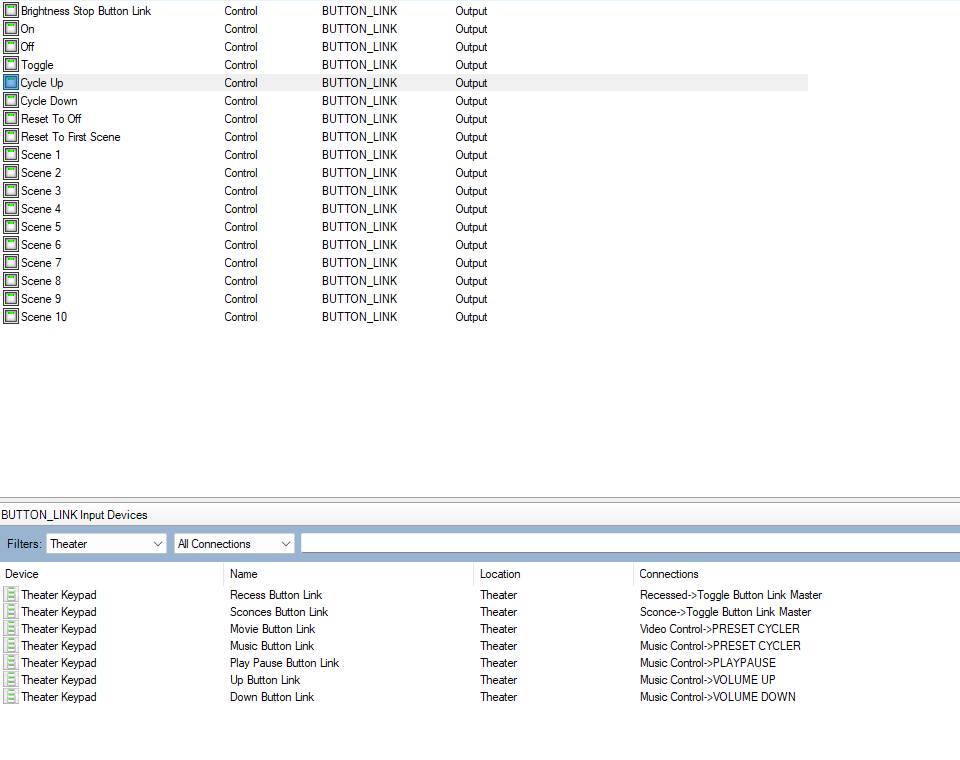
Seventeen button link connections make keypad integration effortless:
- On / Off / Toggle
- Cycle Up / Cycle Down
- Reset To Off / Reset To First Scene
- Scene 1–10 direct selection
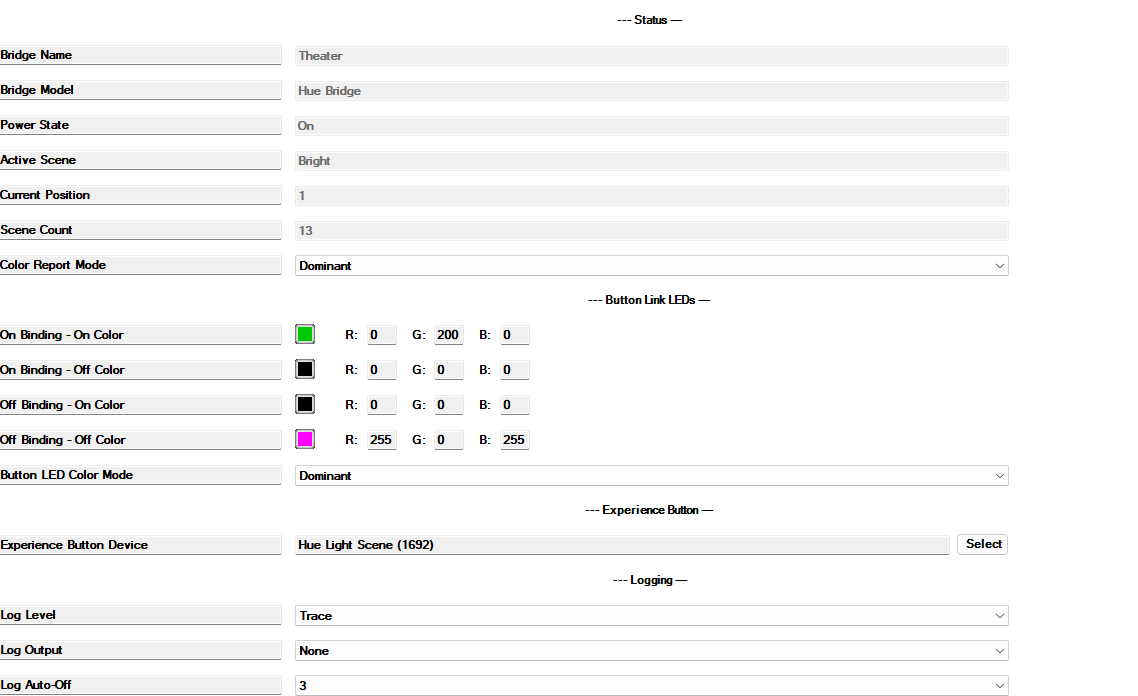
Button LED colors adapt automatically to the active scene with four color modes:
- Static — fixed color regardless of scene
- Per Slot — unique LED color per scene slot
- Dominant — uses a saturated observed member color, weighted by brightness
- Average — averages observed colors across lights that are on
Real-Time Synchronization
Hue Scene Cycler maintains a persistent Server-Sent Events (SSE) connection to the Hue Bridge — receiving live updates whenever scenes are recalled, groups are powered on or off, or brightness is adjusted externally.
Monitor:
- Power status
- Brightness
- Active scene
- Current lighting color
Change a scene from the Hue app on your phone — Control4 follows the bridge feedback.
Native Control4 Experience
The driver appears in Navigator as both a Light and a Button:
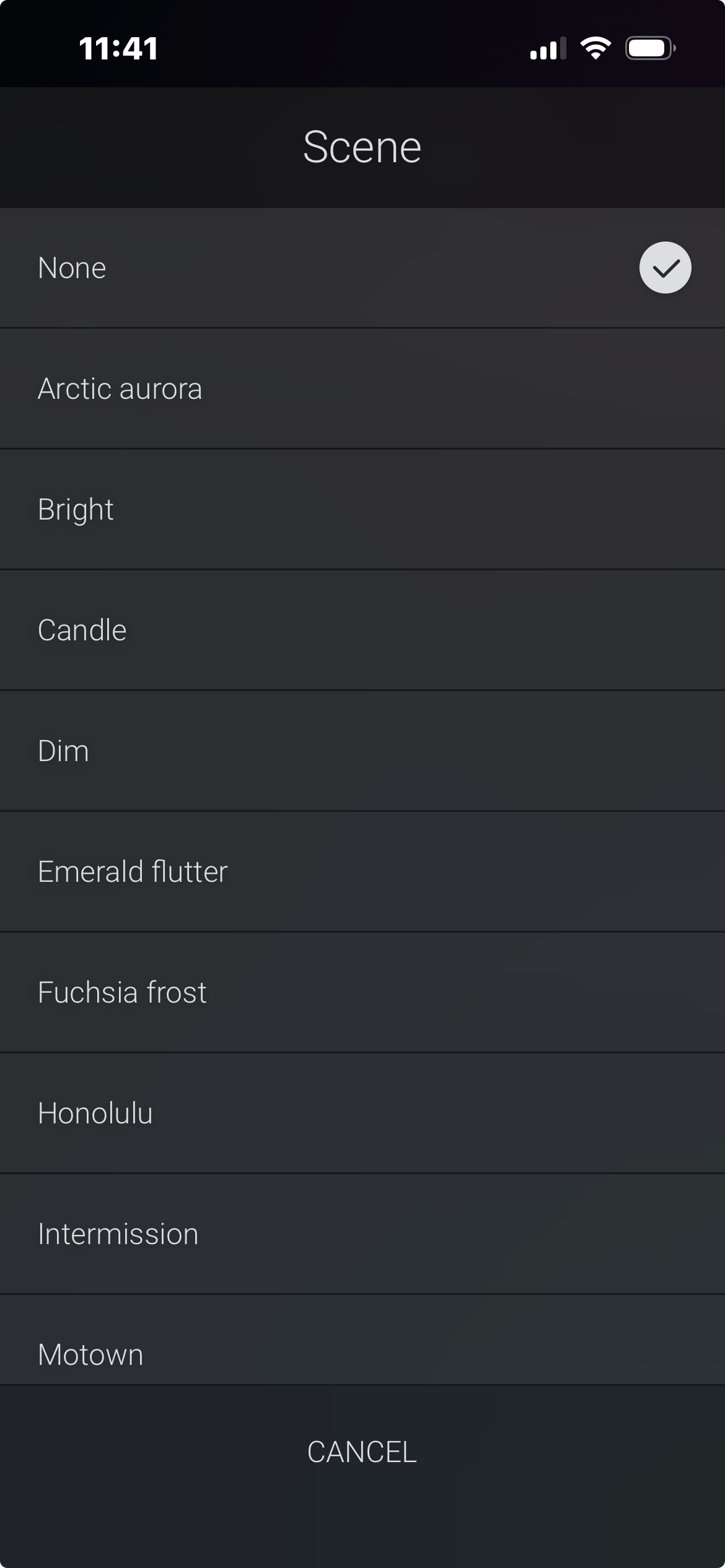
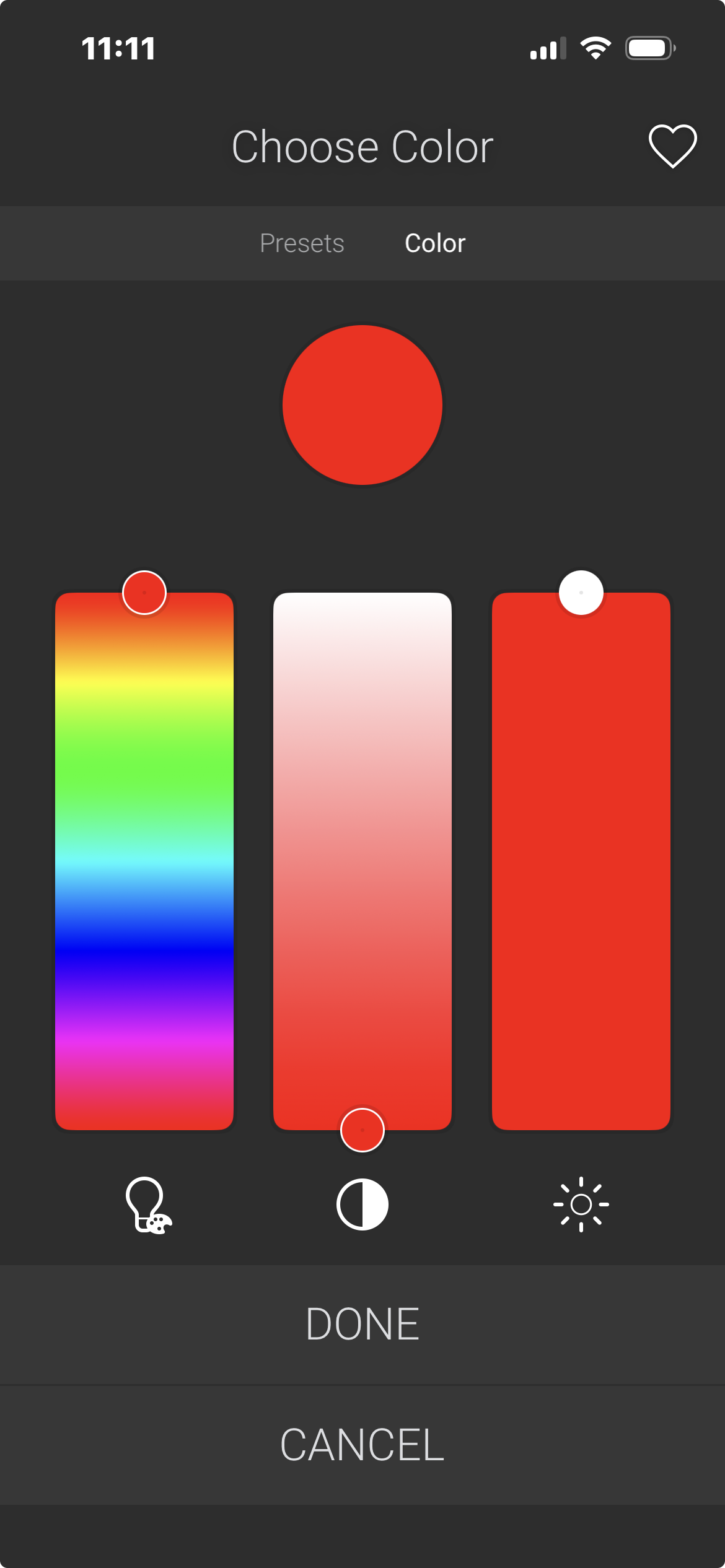
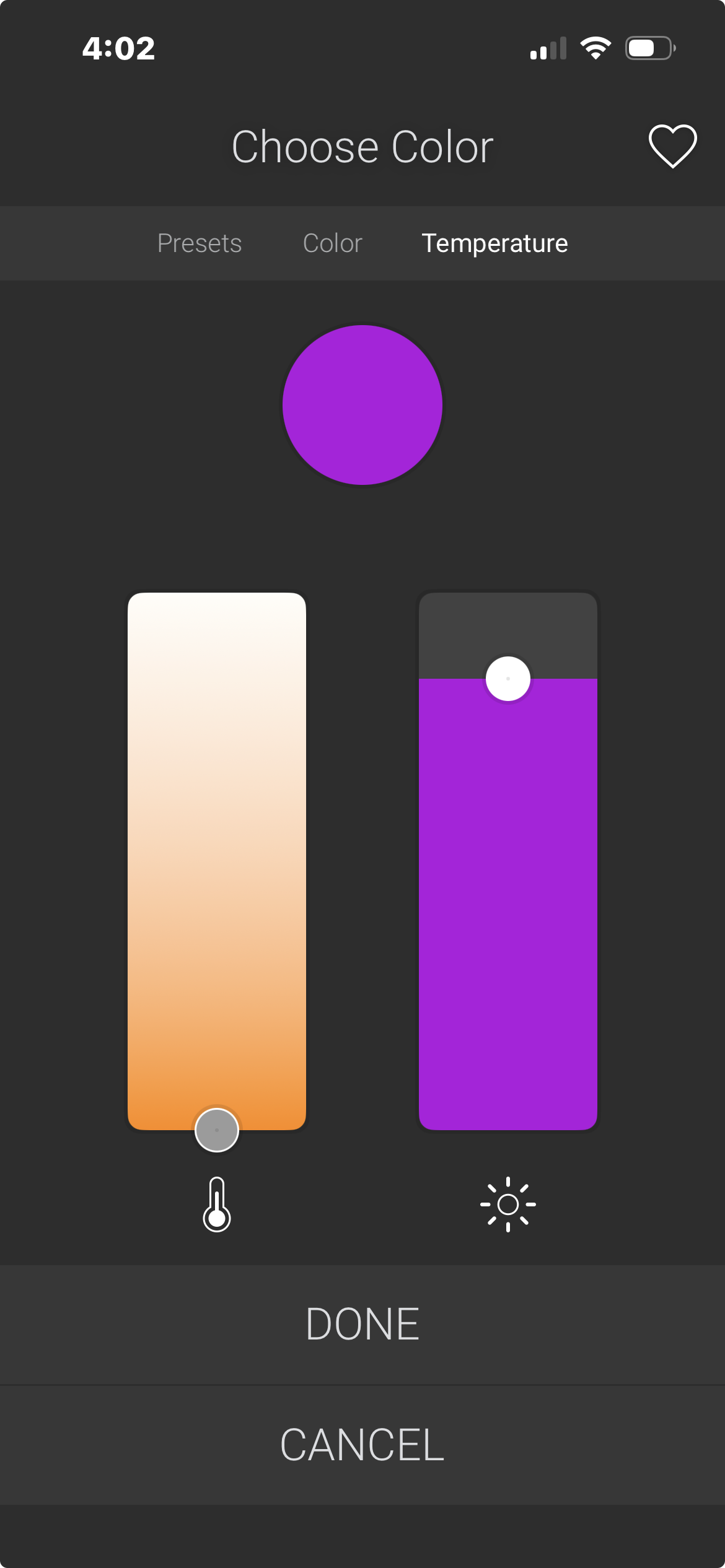
- Light V2 proxy — On / Off, brightness, ad-hoc color picker, and scene selection
- UIButton proxy — cycle through favorite scenes
- Experience Button — optional visual indicator showing the current scene color as a lit bulb icon
Everything is accessible directly from a familiar Control4 interface.
Native Lighting and Hue Effects
- Power On Behavior: choose First Scene, Last Scene, Default Scene, or Control4 Lighting.
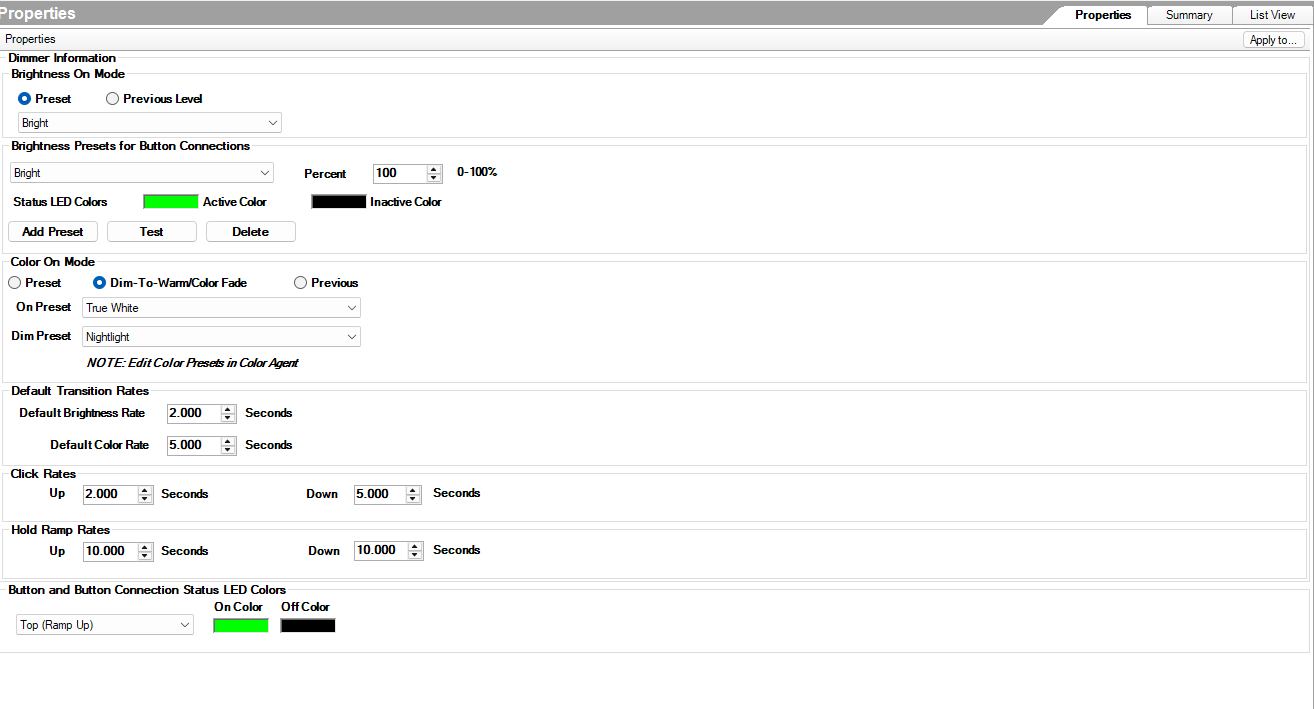
- Native brightness and color: use On presets, Previous Level, and Dim-To-Warm/Color Fade in Control4 Lighting mode.
- Independent transitions: configure default brightness/color rates and native click/hold rates.
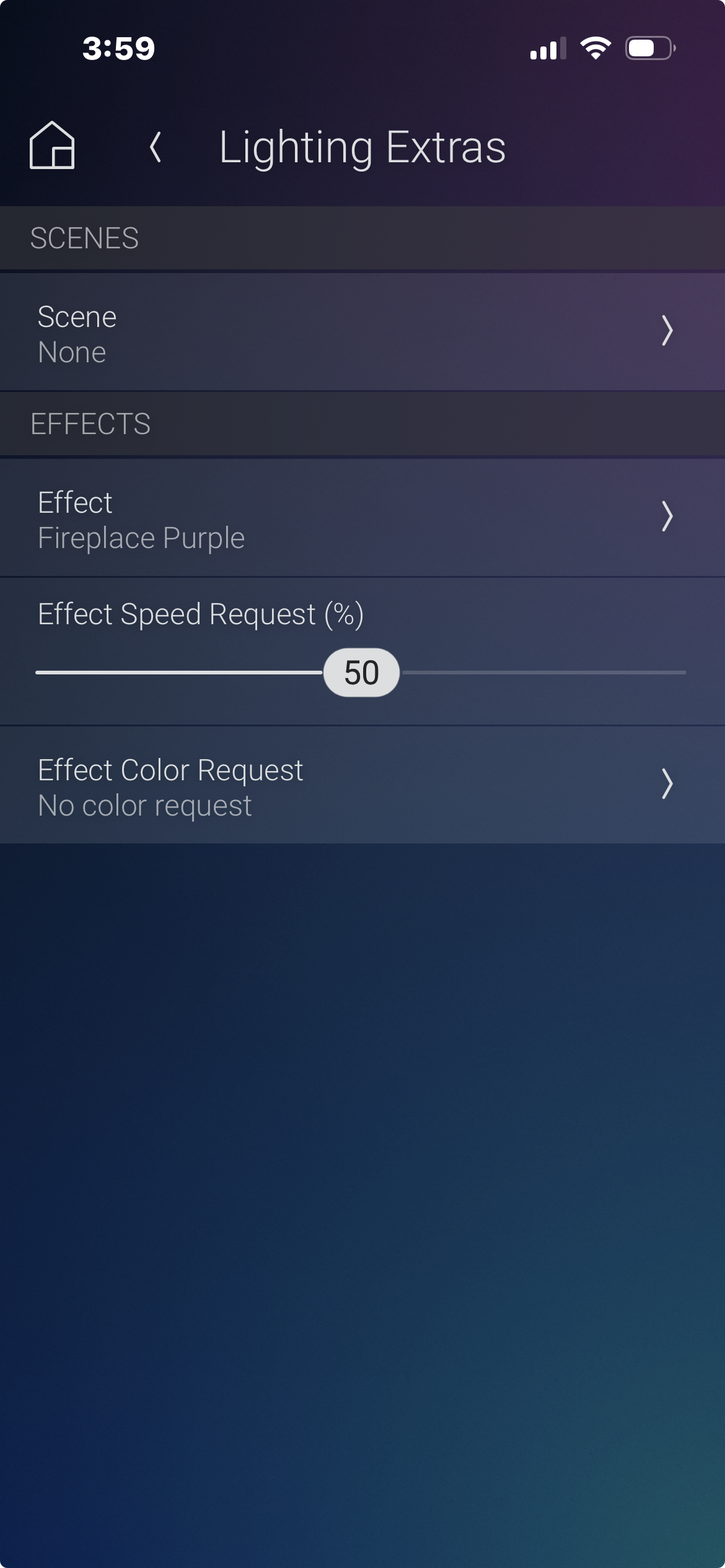
- Hue effects: select supported effects and variants from Navigator Extras. Only compatible members animate.
- Effect speed and tint: request speed and a named color when every physical member advertises the required effect support; tint also requires color capability.
- Live feedback: representative group color follows observed lights, including white temperature.
Effect parameter values represent requests rather than confirmed device readback. Recalling a scene, turning OFF, choosing None, or making an ordinary explicit color change clears the driver effect request. Native OFF also clears the effect controls in Extras.
Previous Level remembers the last nonzero brightness observed before OFF. Hue scene recalls retain their own stored brightness, colors and transitions.
Temporary Scene Playback
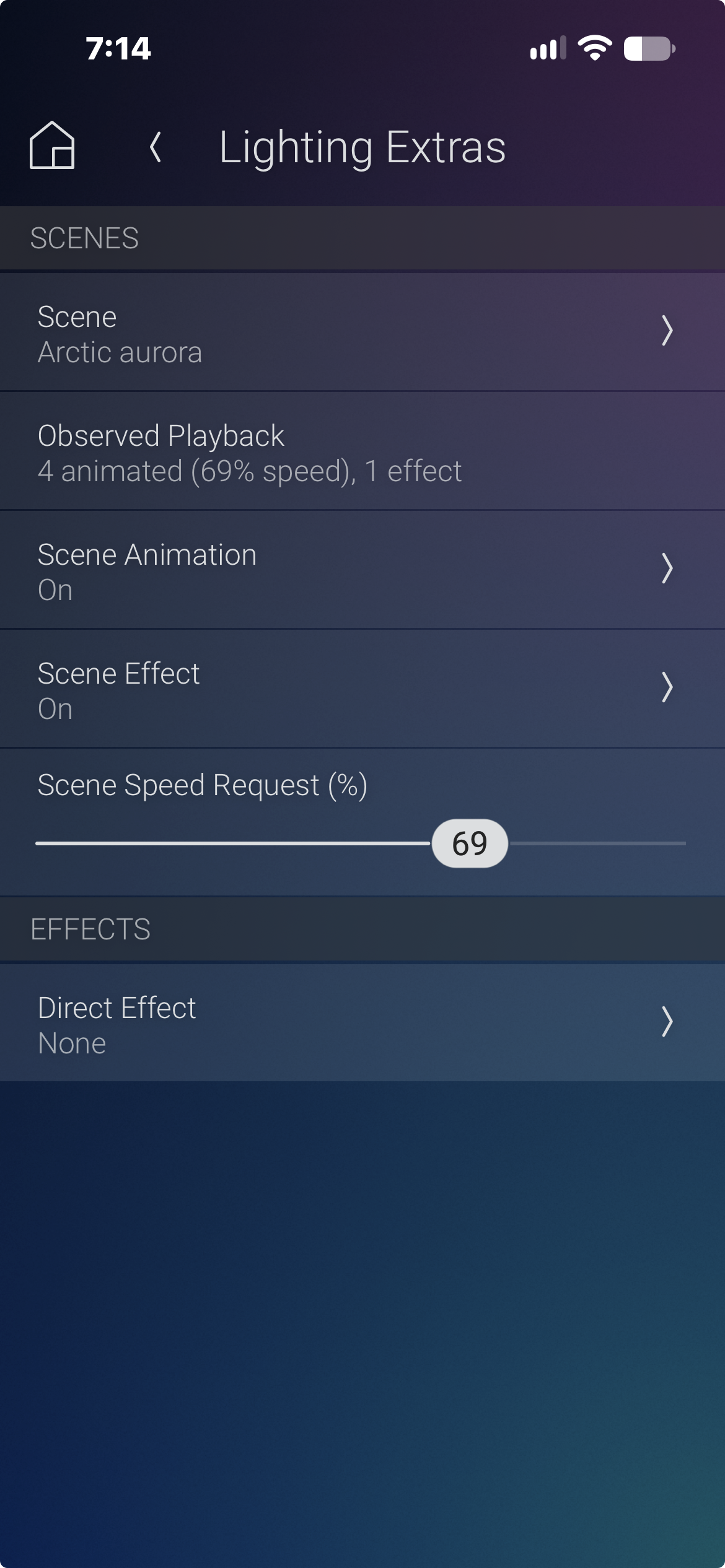
Temporary scene playback controls let you adjust a recalled scene without changing its saved Hue definition:
- Scene Animation: turn palette animation On, or restore saved static colors at the current brightness with Off.
- Scene Speed Request: adjust palette animation speed independently of authored effect bulbs.
- Scene Effect: turn explicitly authored scene effects Off or restore them with On, independently of palette animation.
- Observed Playback: view animated, effect and static bulb counts and observed palette speed.
- Scene None: stop animation and effects while retaining power, brightness and reported colors.
Recalling a scene restores its saved defaults. Controls appear when the selected scene and lights support them. Animation Off restores saved colors rather than freezing the current frame. Direct Effect None clears effects while preserving other lighting state.
Direct Bridge Connection
Hue Scene Cycler talks directly to your Philips Hue Bridge over the local network using the official CLIP V2 API:
- No cloud service
- No MQTT gateway
- No third-party driver dependency
- Self-signed TLS handled automatically
Built for Automation
Integrates naturally with:
- Composer Programming
- Button Links
- Experience Buttons
- Scheduled Events
- Voice Control
Composer commands, events, variables and conditionals support automation, including per-scene "Scene N Fired" events. Consult the included HTML help for the full reference.
Perfect For
- Philips Hue lighting
- Holiday lighting
- Seasonal lighting
- Landscape lighting
- Outdoor lighting
- Accent lighting
- Entertainment spaces
- Living rooms and bedrooms
- Whole-home lighting
- Luxury residences
Local-First Architecture
- No subscriptions.
- No cloud dependency for everyday operation.
- No annual licensing.
Control remains fast, responsive, and designed for reliable local operation.
Expand Your System
Hue Scene Cycler is a complete standalone Control4 driver.
Expand your installation with optional companion products:
- Calendar Wizard
- WLED Theme Cycler
- Z2M Scene Cycler
- Experience Button Drivers
When paired with Calendar Wizard, Hue scenes automatically change based on holidays, seasons, sunrise and sunset, schedules, and custom events — every Hue room and zone in your home follows the calendar together.
Available as part of the Calendar Wizard Automation Suite — includes all four drivers plus the Scene Studio desktop application, which is exclusive to the Suite. See the Calendar Wizard Automation Suite listing on DriverCentral for details.
Requirements
- Control4 OS 3.3.0 or newer
- Philips Hue Bridge V2 (square model) with CLIP V2 API firmware
- Compatible Philips Hue lighting
- Local network connection to the Hue Bridge
Hue Scene Cycler communicates directly with the Hue Bridge for scene control. It does not require, replace, or conflict with existing Hue Bridge drivers in your project.
Complete documentation is included with every driver download.
Included resources:
- Quick Start Guide
- Comprehensive HTML documentation accessible directly within Composer
- Installation and configuration guide
- Programming examples
- Troubleshooting guide
- Revision history
Version 20261016 (October 16, 2026)
- Temporary scene animation and palette-speed controls without editing saved Hue scenes.
- Scene Effect On/Off for explicitly authored effect bulbs, independent of palette animation.
- Display-only Observed Playback with animated, effect and static counts and observed palette speed.
- Animation Off restores saved static colors at current brightness; scene recall restores authored defaults.
- Scene None stops animation/effects while retaining power, brightness and reported colors.
- Native On/Previous presets, independent transitions and Dim-To-Warm/Color Fade.
- Live member brightness, color and white-temperature feedback.
- Effect speed and named tint requests for eligible groups.
- Improved Previous brightness restoration, native ramp completion and hold/release behavior.
- Effect and Extras cleanup on OFF, including iPhone/Android updates.
- Retention of native lighting settings, group and scene slots across driver reloads.
Version 20260620 (June 2026)
Initial DriverCentral Release
- First public release on DriverCentral
- Button Link LED colors — 4-color model with configurable color mode (Static, Per Slot, Dominant, Average)
- Per Slot LED colors — unique keypad LED color per scene slot, persisted across restarts
- Dominant/Average LED modes — keypad LED color auto-computed from active scene palette
- Experience Button — optional device selector to update a Navigator experience button with the current scene color
- Color Report Mode property — Dominant (most saturated) or Average (blend all)
- Server-Sent Events (SSE) for real-time state updates from Hue Bridge
- Select Scene By Name / Select Scene commands for slot-aware selection with Fire Events control
- Enable Or Disable Scene command for programming control of slot rotation
- Reset Cycler To First Scene / Reset Cycler To Off commands
- 15 events including per-scene Scene 1–10 Fired for scene-specific automation
- 17 button links (bindings 300–316): On, Off, Toggle, Cycle Up/Down, Reset Off/First, Scene 1–10
- Full keypad LED integration with MATCH_LED_STATE and BUTTON_COLORS
- Hue Bridge V2 CLIP API communication (HTTPS, self-signed TLS)
- 10 configurable scene slots with cycle up/down
- Light V2 proxy: on/off, brightness, color reporting (CIE XY)
- UIButton proxy for navigator scene cycling
- Recall Scene By Name / Recall Scene By Slot commands
- Dynamic conditionals: POWER_IS_ON, SCENE_IS
- Driver variables: CURRENT_SCENE, ACTIVE_SCENE_NAME, POWER_STATE
