
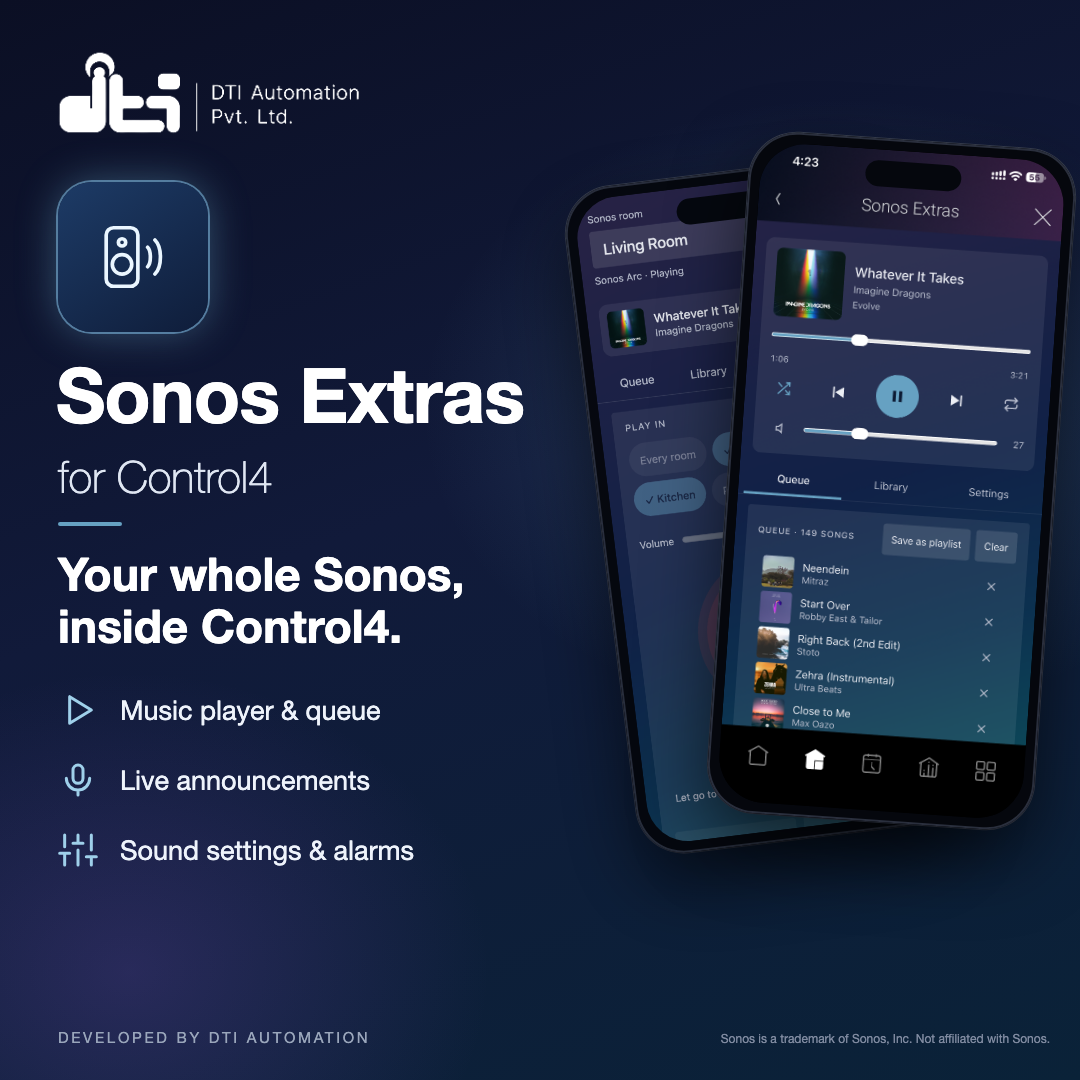
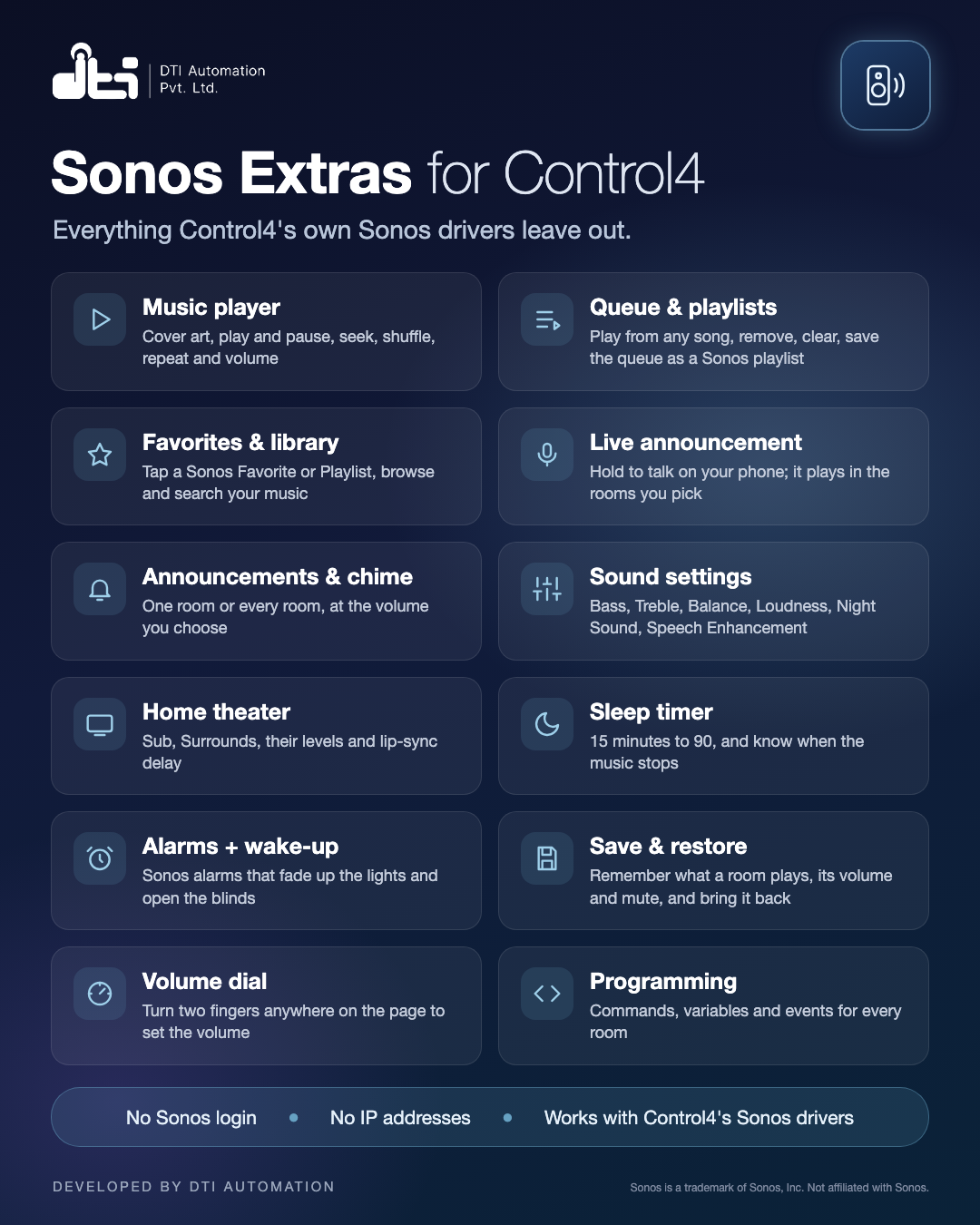




Everything Control4's own Sonos drivers leave out: sound settings, alarms with wake-up actions, announcements, a music player and a homeowner page in the Control4 app.
The DTI Automation Sonos Extras driver works alongside Control4's own Sonos drivers and adds what they do not. It finds every Sonos room through them, so there is no Sonos login to enter and no IP address to type. One Sonos Extras driver serves every Sonos room in the project, and grouping stays with Control4's own Sonos driver.
Key Features
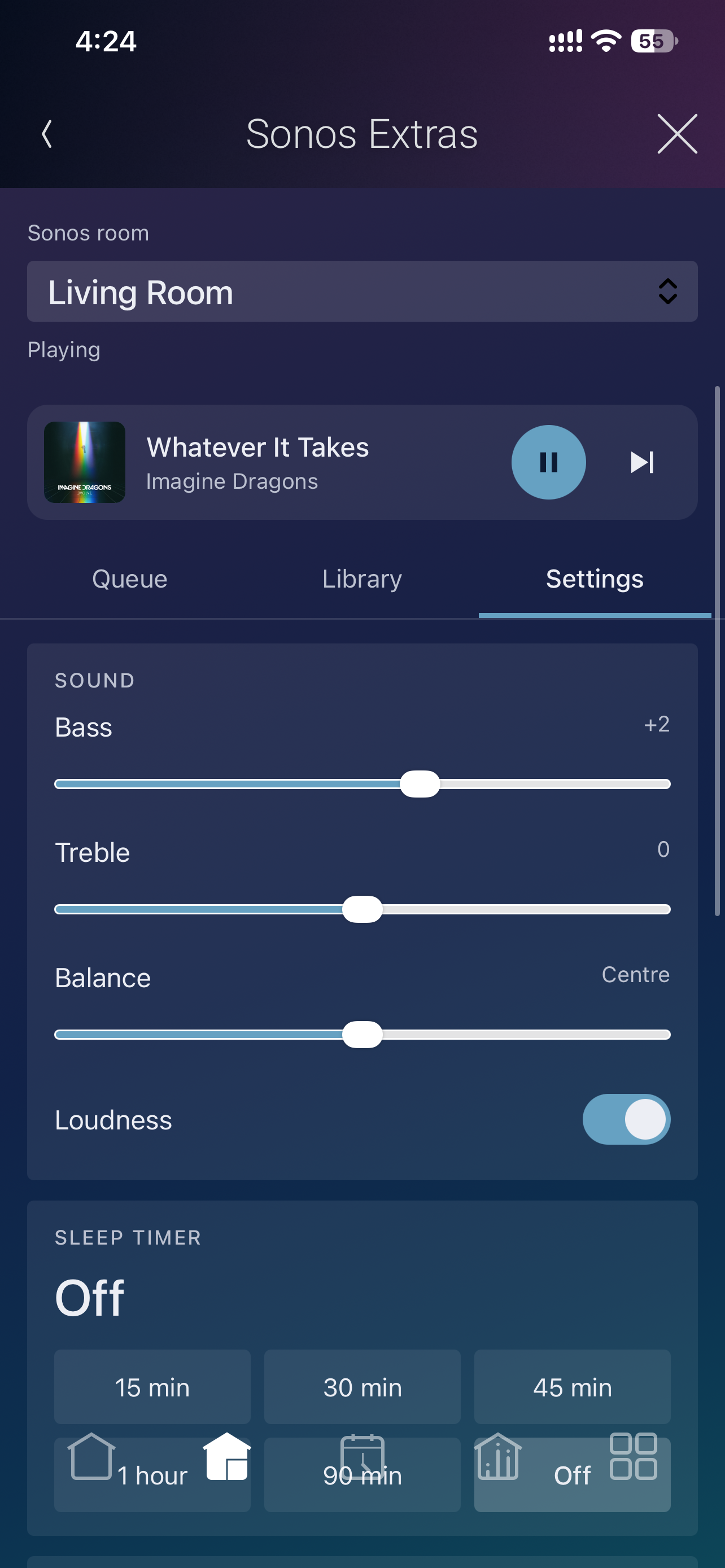
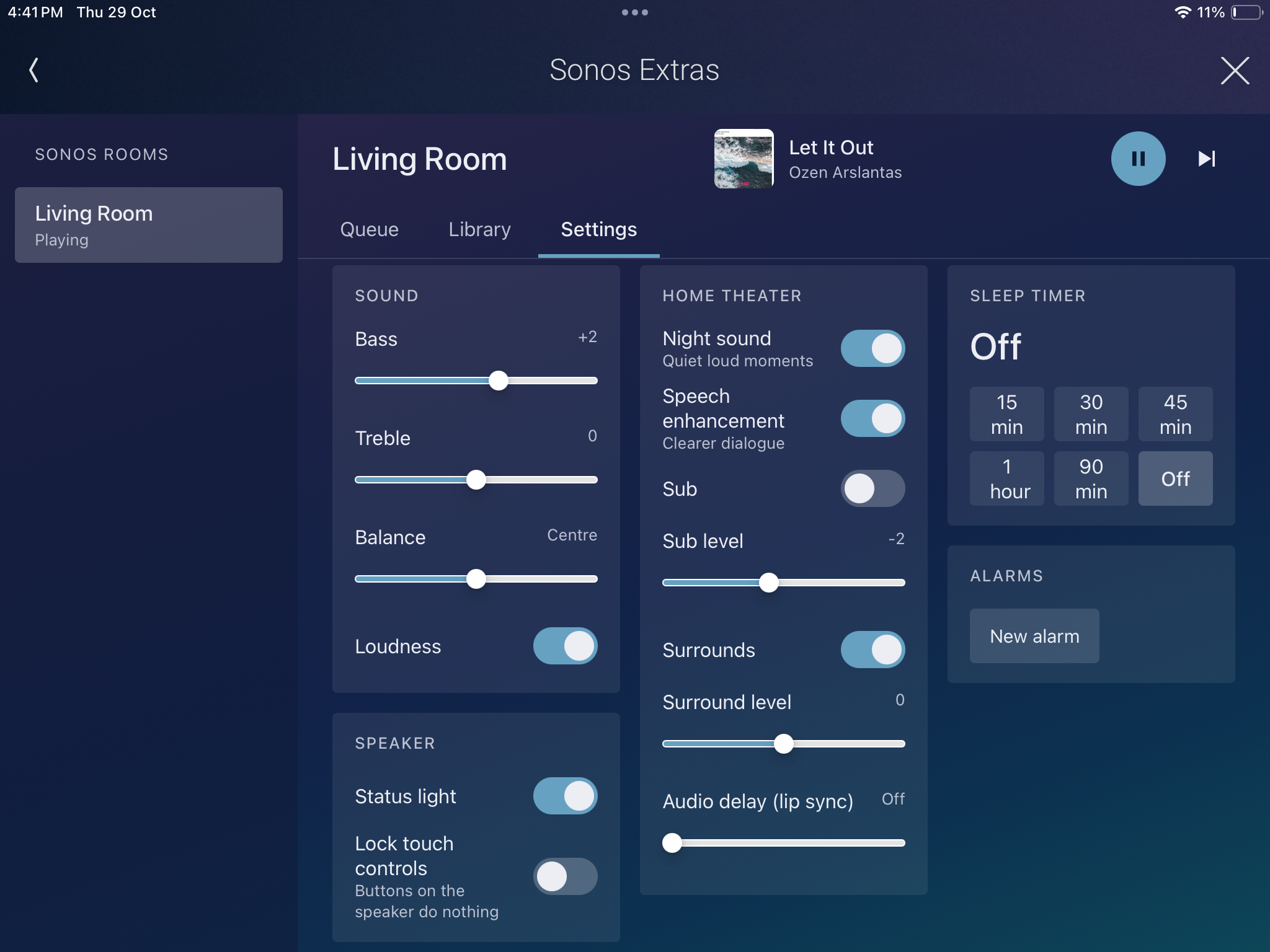
- Sound and speaker settings for every room: Bass, Treble, Balance, Loudness, Night Sound, Speech Enhancement, Sub, Surrounds, Audio Delay, Status Light and Touch Lock, wherever the speaker has them.
- Sleep timer. Set, change or cancel it, and know when it ends.
- Sonos alarms. Create, edit, turn on or off and delete the alarms saved on the Sonos system, including those made in the Sonos app.
- Wake-up actions. When an alarm sounds, the lights, blinds, fans and thermostats in the speaker's Control4 room can follow: a light can fade up like a sunrise, a blind can open.
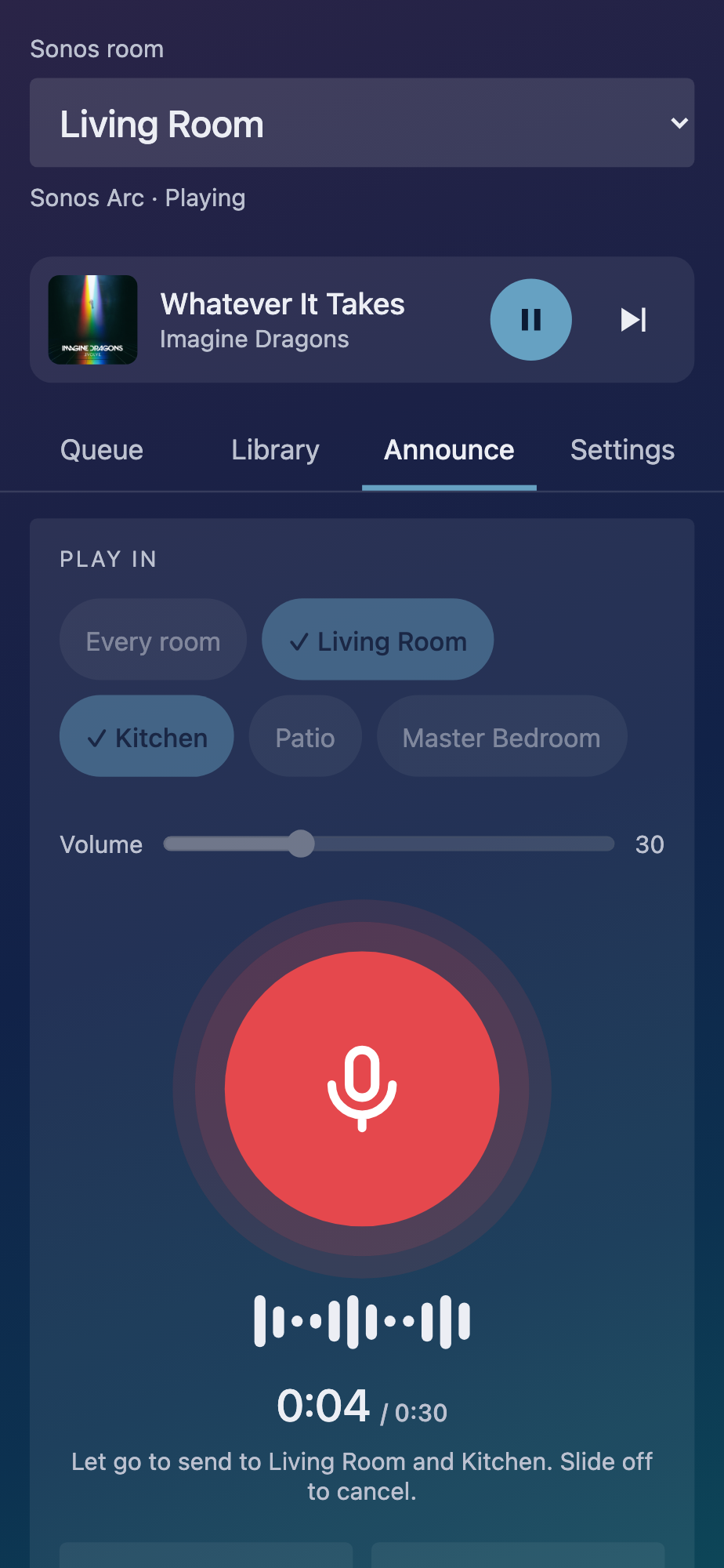
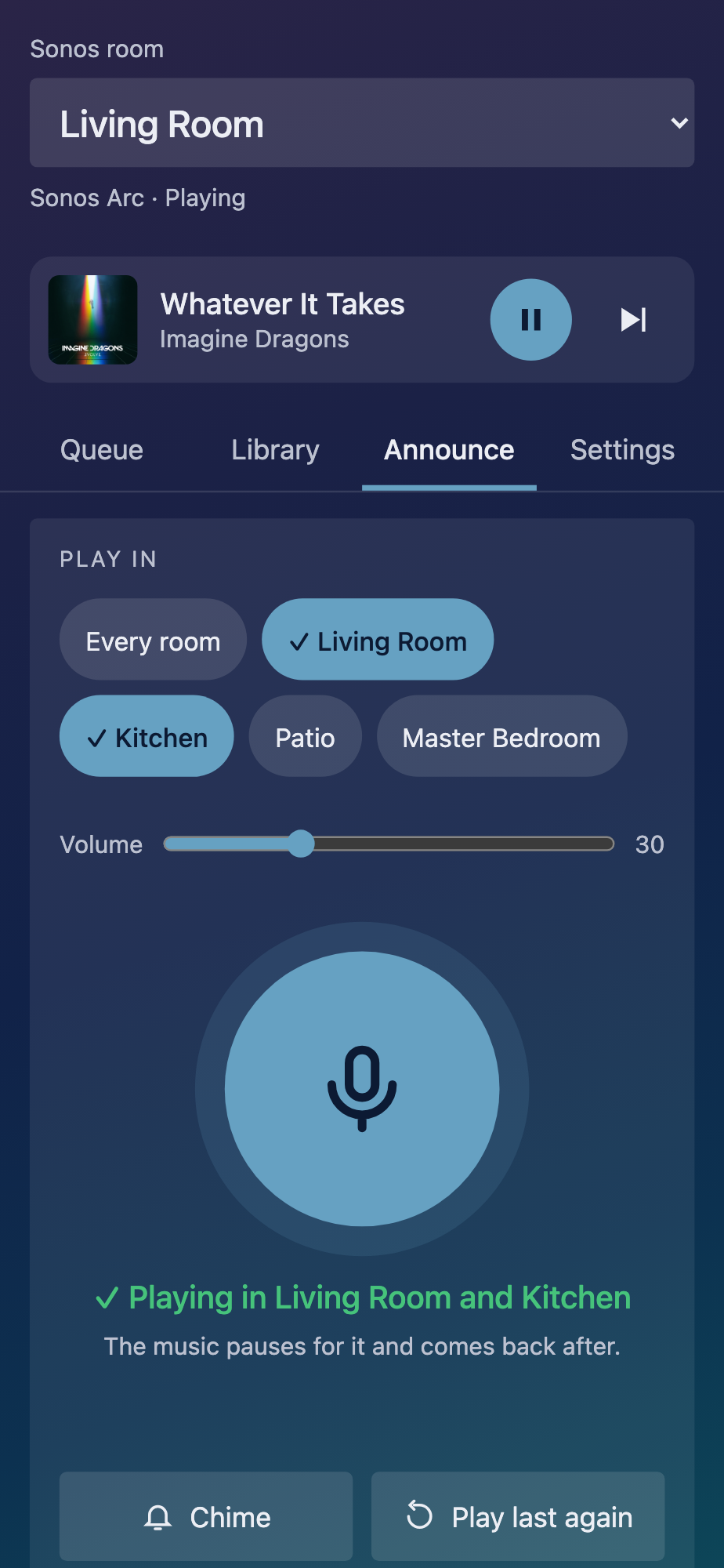
- Announcements in one room or every Sonos room, with the Sonos chime or a sound of your own, at a set volume.
- Save Room State and Restore Room State. Remember what a room is playing, where it was, its volume and mute, and put it back later.
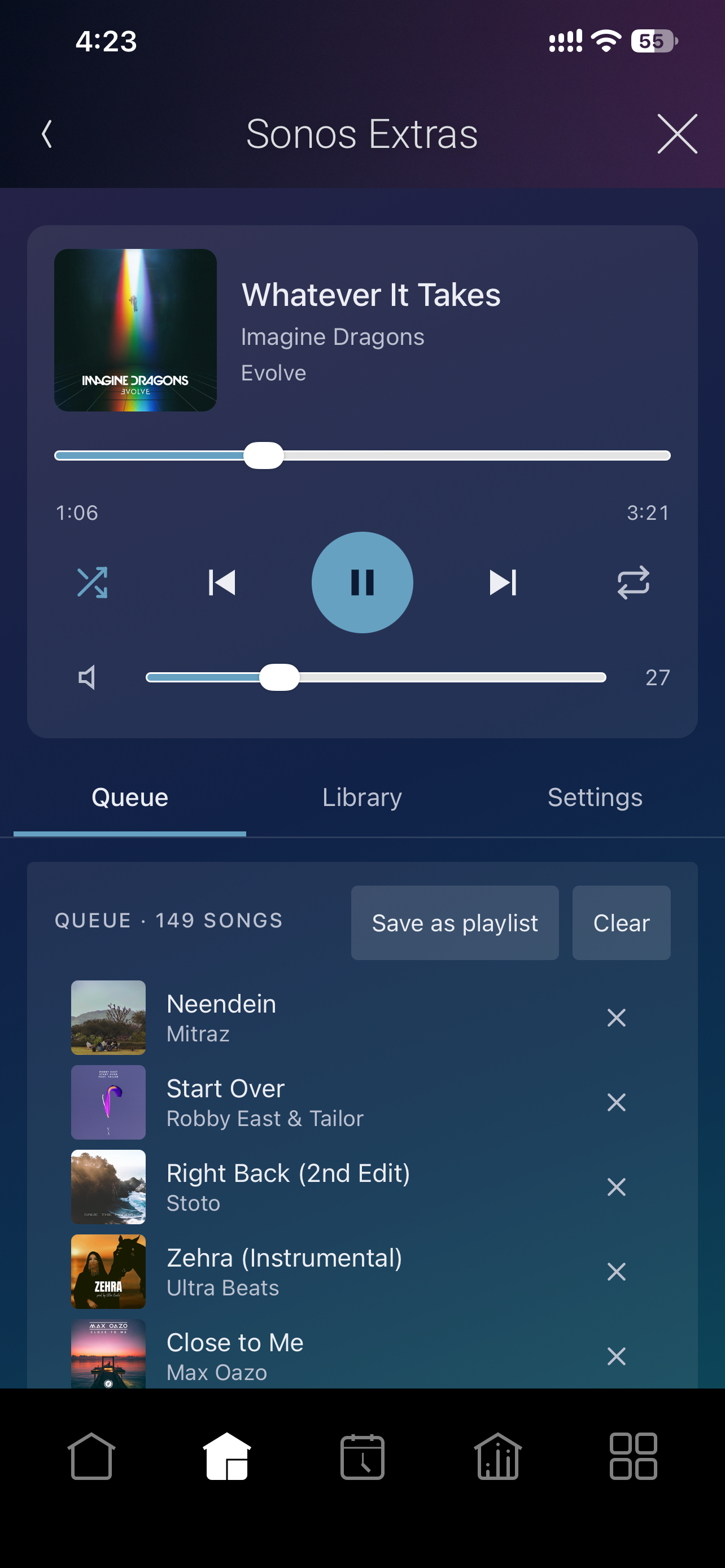
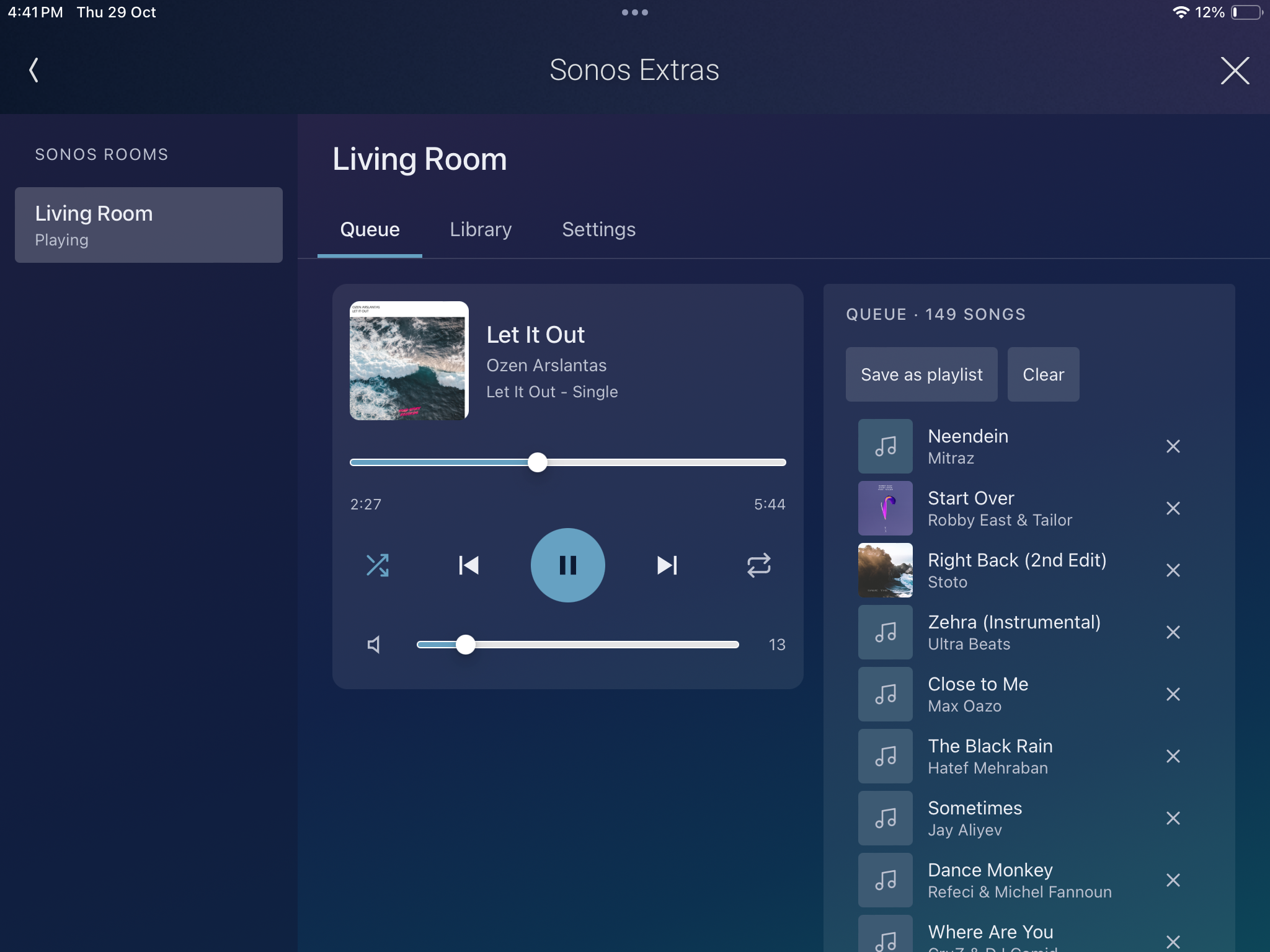
- A music player on the homeowner page. Cover art, play and pause, previous, next, seek, shuffle, repeat and volume.
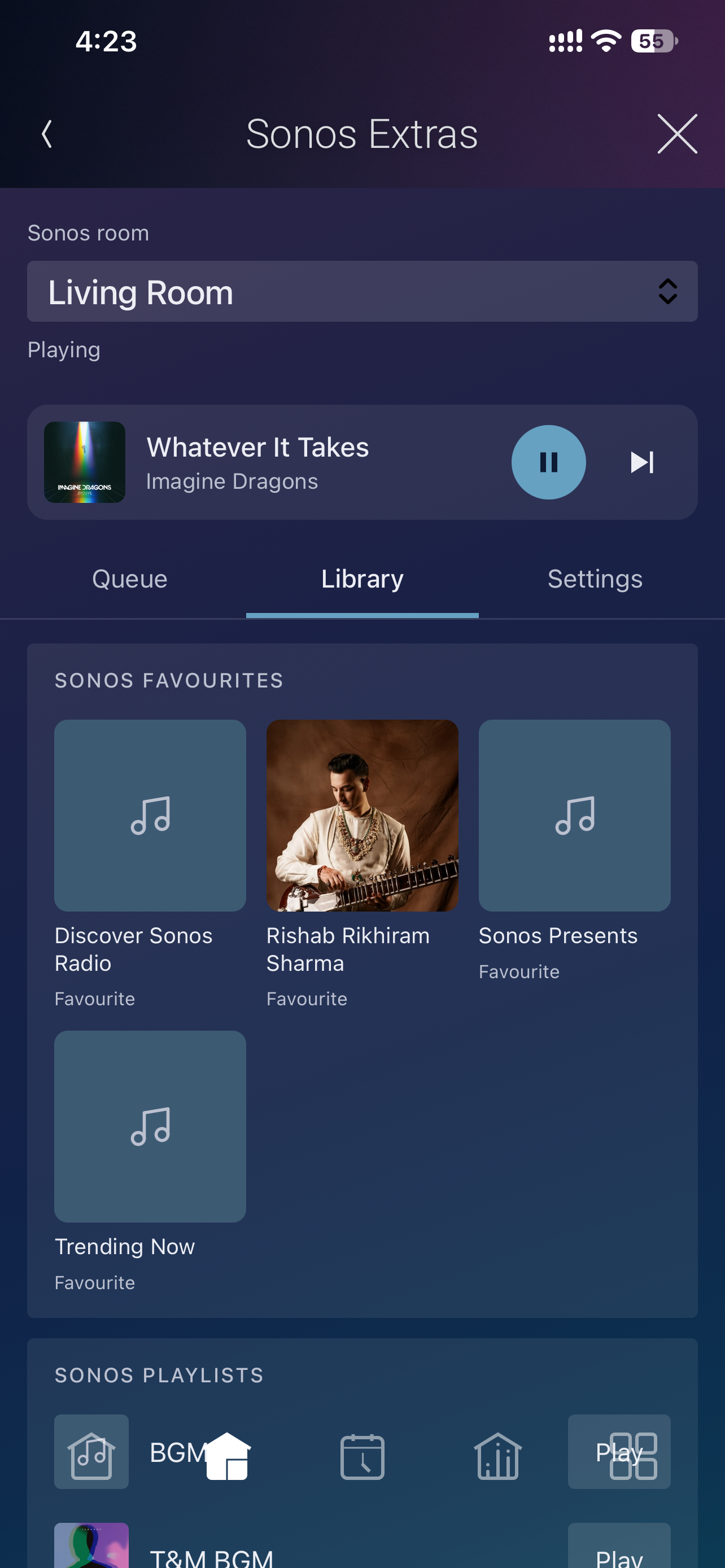
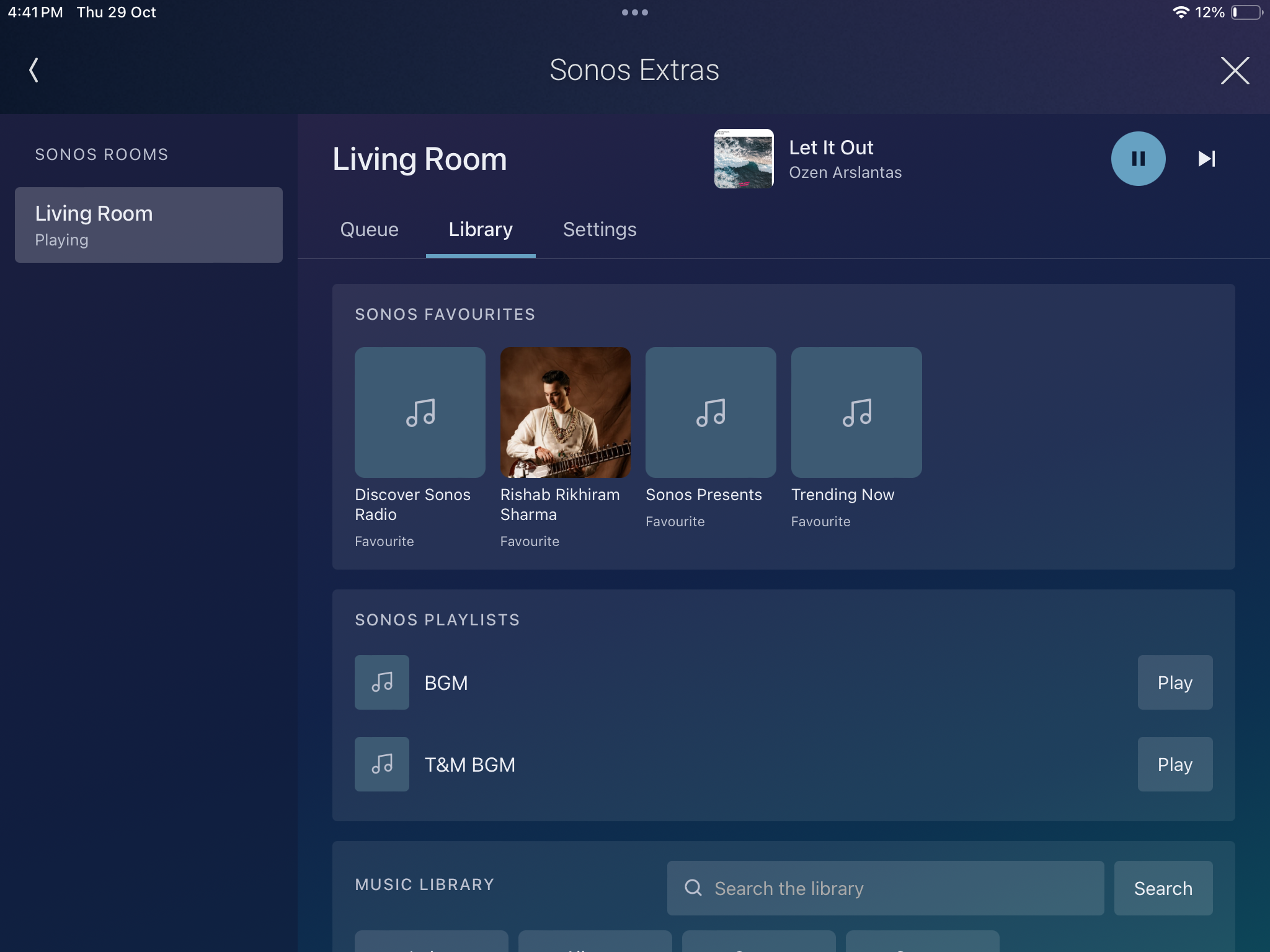
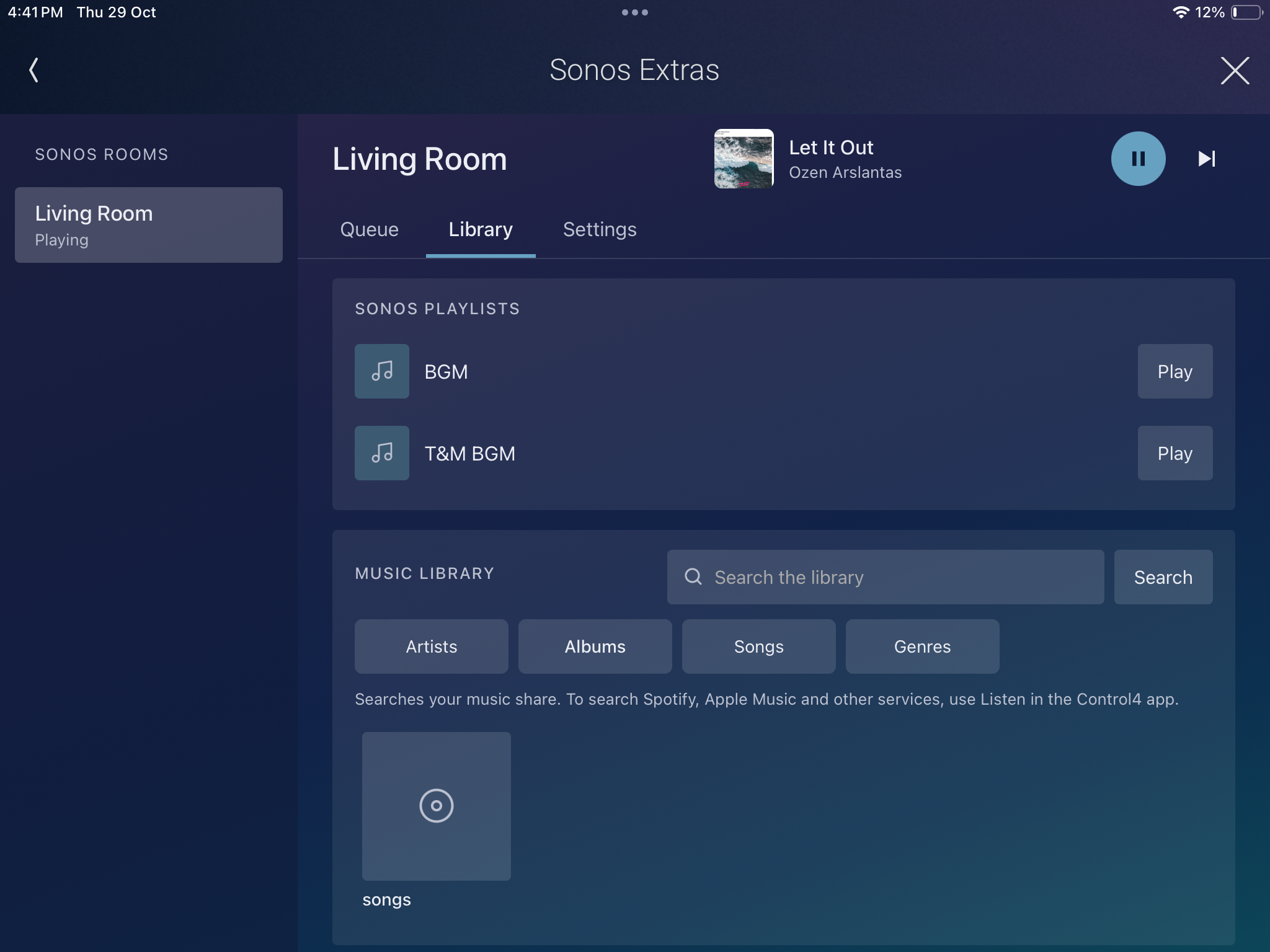
- The queue and the music library. See the queue, play from any song, remove a song, clear it, and save it as a Sonos playlist. Tap a Sonos Favorite or Sonos Playlist to play it, or browse and search the music library.
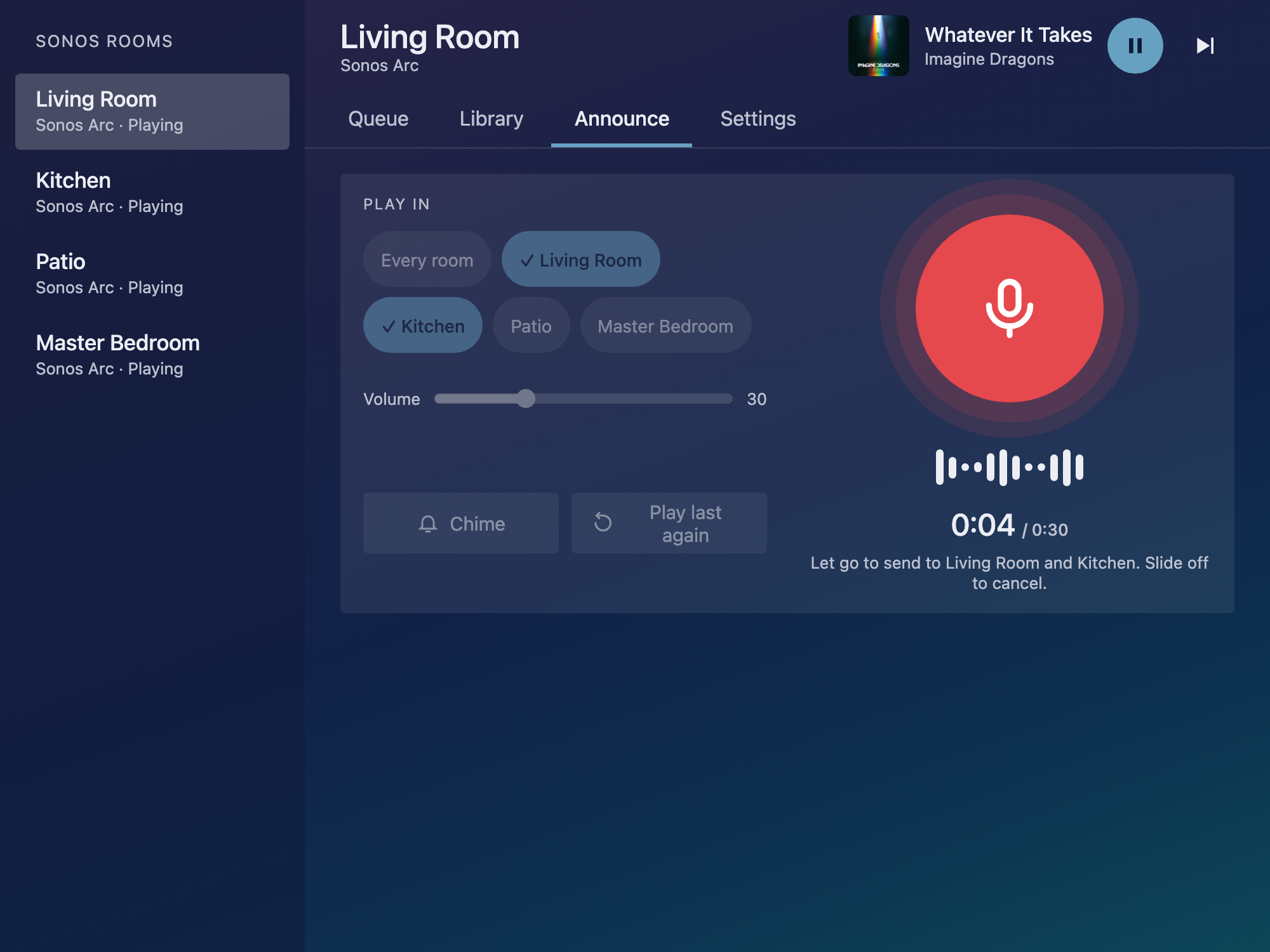
- Live announcement. Hold to talk on the phone in the Control4 app, let go, and it plays as an announcement in the rooms you chose. Chime and Play last again are one tap away.
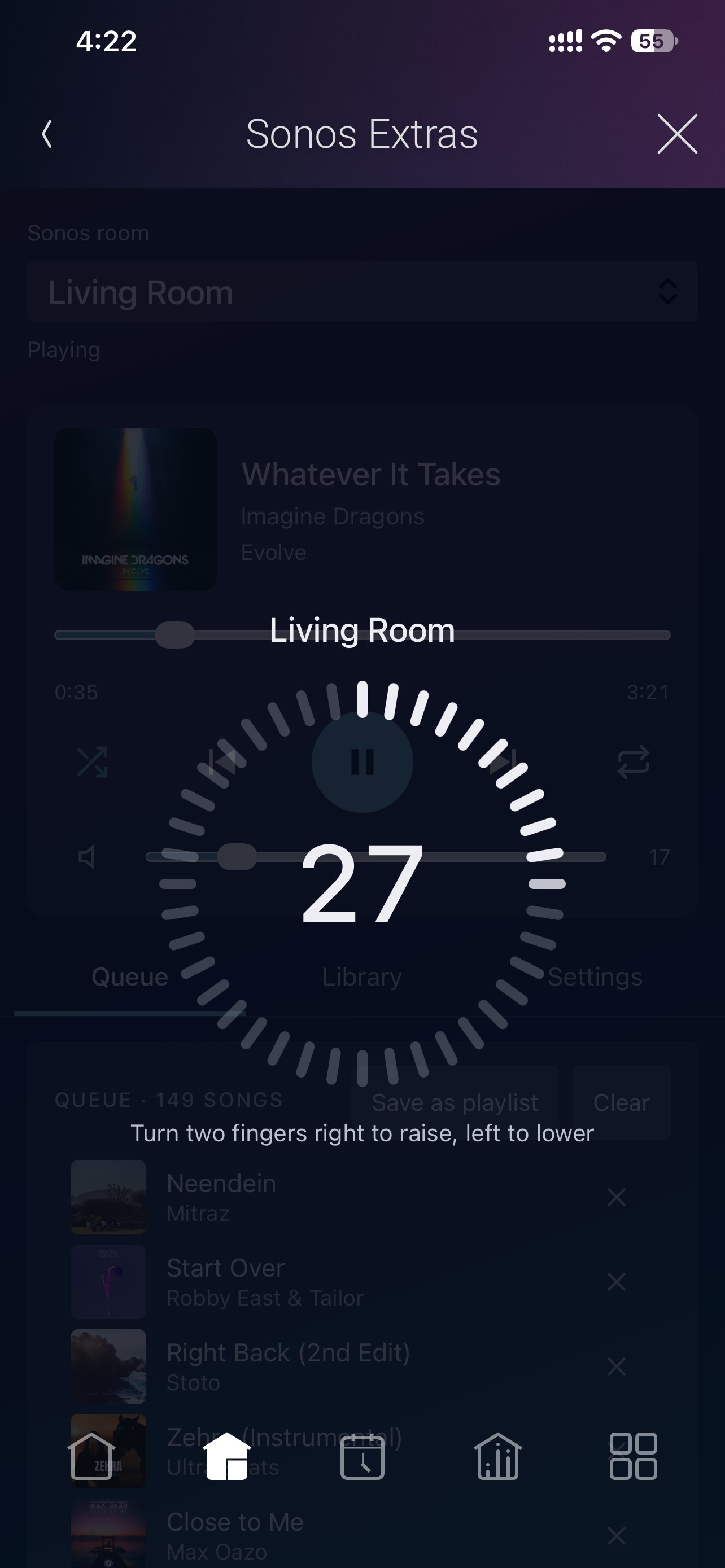
- A homeowner page in the Control4 app: the Sonos Extras tile, with Queue, Library, Announce and Settings tabs, and a two-finger volume dial.
- Programming that follows the speakers: commands for every setting, a variable for each room setting, and events for the sleep timer, alarms, low batteries, speakers that stop answering and finished announcements.
- Tells you what it is doing. Status says how many Sonos rooms are served, or what is missing, and Rooms Found names them.
Supported Devices
- Sonos speakers that Control4's own Sonos drivers control, in the project as Sonos player drivers.
A setting a speaker does not have is simply not shown: Sub appears only with a sub, Night Sound only on a home theater speaker, and battery only on a portable speaker.
Requirements
- Control4 OS 3.3.0 or later.
- Control4's own Sonos drivers in the project and working: the Sonos player driver for each Sonos room, and the Sonos Network driver (one per project).
- Network. The controller is on the same network as the Sonos speakers.
Setup
- Add the driver to the project, in any room, and activate it. A new install runs a 30-day trial.
- Wait about 10 seconds. Status reads the number of Sonos rooms and Rooms Found names them.
- Refresh Navigator. The Sonos Extras tile appears in the Control4 app in the room the driver is in.
After adding or removing a Sonos room in the project, run Actions → Rescan Sonos Rooms. Full dealer documentation ships inside the driver on its own Documentation tab in Composer, and as a PDF in the download.
Licensing
Sold and licensed through DriverCentral or directly through DTI Automation, and a valid licence from either works. Set Activation Method at the top of the Properties tab to match where you bought it, and only that licence's fields are shown. A new install runs a 30-day trial: Cloud Status shows DriverCentral's, and Activation Status shows DTI's.
The driver needs a valid licence or a running trial. Without one, every command, the homeowner page and the programming events are refused, and Status says why.
Support
Technical support is available through https://help.drivercentral.io.
Before raising a ticket, have the Driver Version property, the Status value, your controller model and OS version, and the Director log lines that begin Sonos Extras:. Those answer most of the first round of questions.
Driver by DTI Automation Pvt. Ltd. Sonos is a trademark of Sonos, Inc. This driver is not made by, endorsed by or affiliated with Sonos, Inc.
No posts found
Driver documentation is included in the Download Driver zip file, and ships inside the driver itself on its own Documentation tab in Composer.
- Ver:1010 Wake-up actions: a colour light can turn on at one of its colour presets.
- Ver:1009 First release. Sound and speaker settings, sleep timer, Sonos alarms with wake-up actions, announcements with live announcement from the Control4 app, Save and Restore Room State, the queue and music library, a music player and the Sonos Extras homeowner page, licensed through DriverCentral or DTI Automation.
